Home / Blog / Image Translation / Video Translation / Support / Donation / RSS
Manga Typesetting Tool Comparison: TypeR and ImageTrans
In the world of manga translation, typesetting is where everything comes together. After OCR and translation, you still need to place text back into the artwork in a way that feels natural, readable, and faithful to the original design. This is where tools like TypeR and ImageTrans come in.
Both target similar users—scanlators, translators, letterers, and comic localizers—but they represent two very different philosophies: one centered on Photoshop, the other on an integrated pipeline.
Overview
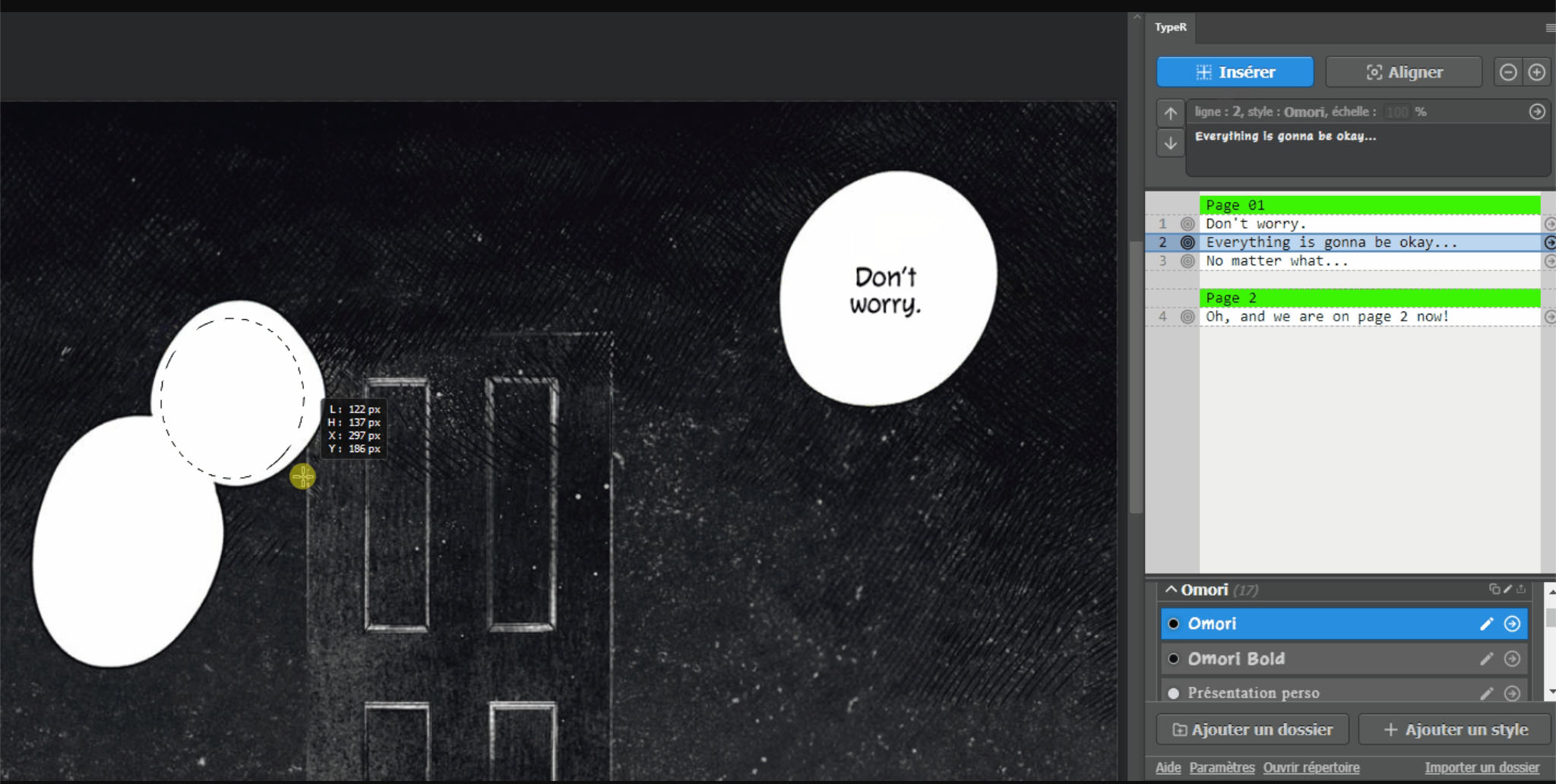
TypeR is a Photoshop extension (forked from TyperTools) designed specifically for manga and comic typesetting. It enhances Photoshop with features like smart alignment, style management, and multi-bubble handling, aiming to speed up manual work without leaving the design environment.
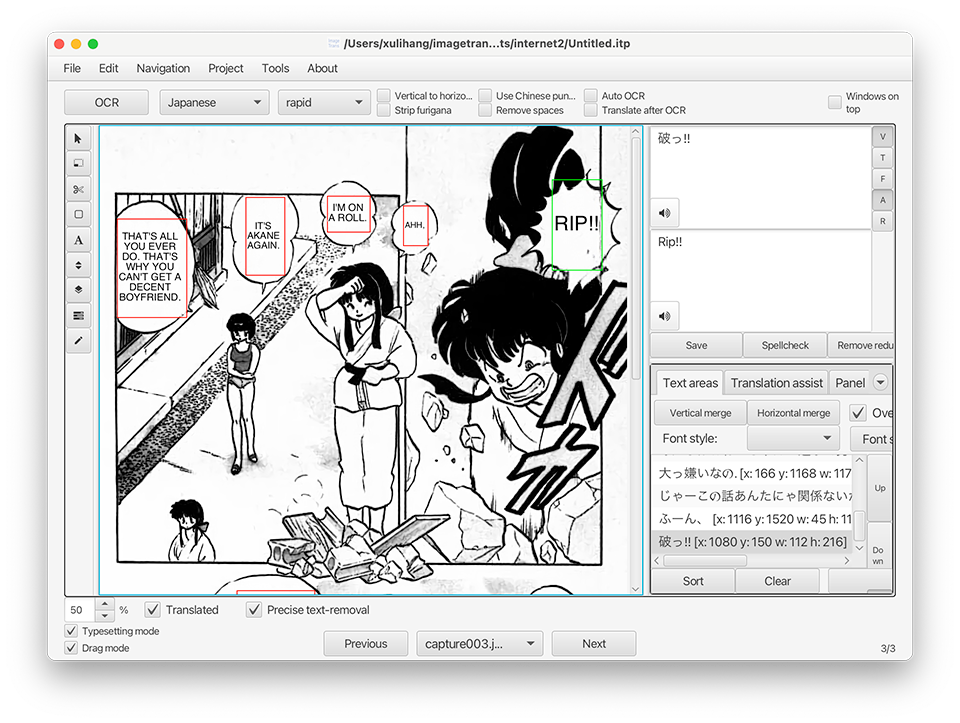
ImageTrans is a standalone computer-aided translation tool that covers OCR, translation, and text reinsertion. It can automatically detect text regions, remove original text, and inject translations, while still supporting export back to Photoshop for refinement.
Workflow Comparison
TypeR: Photoshop-Centric Workflow
TypeR assumes Photoshop is your main workspace:
- Open image in Photoshop
- Insert text using TypeR tools
- Adjust layout manually
Its biggest strength is eliminating repetitive actions (copy-paste, alignment, style switching) inside Photoshop.
However:
- OCR and translation must be done elsewhere
- Workflow is fragmented across tools
ImageTrans: End-to-End Workflow
ImageTrans covers the full pipeline:
- Load images
- Detect and extract text (OCR)
- Translate using multiple engines
- Remove original text and reinsert translation
- Export to PSD for final refinement
It integrates OCR, large language model translation, text cleaning, typesetting and batch processing into one system.
This reduces tool switching and enables large-scale workflows.
Feature Comparison Table
| Feature | TypeR | ImageTrans |
|---|---|---|
| Core Type | Photoshop plugin | Standalone application |
| OCR (text extraction) | ❌ Not supported | ✅ Built-in multi-engine OCR |
| Translation integration | ❌ External only | ✅ Multiple MT engines + CAT features |
| Text detection | ❌ Manual | ✅ Automatic detection (AI + heuristics) |
| Text removal (cleaning) | ❌ Manual in Photoshop | ✅ Automated (masking, lama inpainting, nano banana, etc.) |
| Text alignment | ✅ Yes | ✅ Yes |
| Text reinsertion | ✅ Manual typesetting | ✅ Automatic + adjustable reinjection |
| Multi-bubble handling | ✅ Yes | ✅ Yes |
| Style management | ✅ Advanced (folders, presets) | ✅ Global styles |
| Batch processing | ❌ Not designed for it | ✅ Supported |
| Photoshop integration | ✅ Native plugin | ✅ Export to PSD |
| Automation level | Low (manual control) | High (semi/fully automated) |
| Cross-platform | Depends on Photoshop | ✅ Windows / macOS / Linux |
Which One to Use
Choose TypeR is you prefer to do the typesetting entirely in Photoshop.
ImageTrans is a better choice in almost all aspects:
- An integrated environment for document scanning, image extracting from CBZ/PDF, image editing, OCR, translation, cleaning and typesetting.
- Compatible with basiccaly all Photoshop versions (CS2+) and any other image editors like Krita and GIMP.
© 2026 BasicCAT ― Powered by Jekyll and Textlog theme