Home / Blog / Image Translation / Video Translation / Support / Donation / RSS
9 Manga Translation Tools Tested and Compared: AI Translation Plus Manual Editing, Which One Fits You
Recent years have seen a flood of manga translation tools. They can not only fully automate translation and lettering, producing a translated comic, but also support manual editing so you can polish and fine-tune the AI output.
This article first covers what manga translation tools are used for, how to evaluate them, and the technical details behind them. Then it runs a rough hands-on comparison of nine tools that support post-editing, using a single page of Detective Conan translated into Chinese and English as the example.
What Manga Translation Tools Are For, and How to Judge Them
You might reach for a manga translation tool for any number of reasons:
- To quickly translate raw manga on a web page for your own reading
- To extract the text from a comic for language learning, building a corpus, or academic research
- To produce high-quality translated pages for other readers
Different purposes call for different criteria. For quick reading, image translation needs to finish within seconds, quality is not the priority, and a browser extension matters. For high-quality work, you need configuration options, a convenient human-in-the-loop interface, and where necessary the ability to export the data and carry on translating in third-party software such as Photoshop.
Ease of use and the operating systems supported are further dimensions worth weighing.
Technical Details Behind Manga Translation Tools
Before evaluating anything, it helps to understand how these tools work under the hood.
A manga translation tool usually involves four steps:
- Text recognition
- Text removal
- Text translation
- Lettering
These steps are normally carried out separately. With the arrival of multimodal and image-generation large language models, end-to-end approaches have appeared as well — a single model that solves all of the above. Nearly every tool offers the traditional step-by-step mode and has adopted large language models to varying degrees.
Text Recognition
Text recognition (OCR) typically takes two stages: text localization and character recognition.
Every manga translation tool uses some combination of text detection and character recognition models, and many train specifically on comics. Some common models:
Detection models:
- comic-text-detector: a text detection model trained by dmMaze. It accurately produces text masks, which can then be used for text removal and for determining text rotation.
- YSGYolo: a detection model trained on YOLO that can detect speech bubbles, text lines and more, while deliberately skipping sound effects.
- PaddleOCR: PaddleOCR provides a text detection model where one model handles localization across languages, plus layout detection models such as PPDocLayout that can determine reading order at the same time.
Recognition models:
- mitOCR 48px: the character recognition model from the manga-image-translator open-source project. It also detects text color and must be run line by line.
- manga-ocr: a Transformer model trained on the manga109 Japanese manga dataset. It handles multi-line text images and ignores furigana automatically.
- PaddleOCR: PaddleOCR also provides recognition models, from small fast ones to PaddleOCR-VL, a large language model with high accuracy but slower inference.
There are auxiliary models too, such as panel detection, text direction detection, language identification and font recognition. Panel detection is the most useful of these, since it helps correct the reading order.
Text Removal
Text removal can be done in many ways: blurring the text, filling with a solid color, or using image inpainting to strip the text and redraw the area it covered.
Many inpainting methods are used by these tools.
Traditional image processing:
- OpenCV Telea
- PatchMatch
Deep learning:
- AOT
- Lama
Image-editing large models:
- Flux
- Gemini Nano Banana
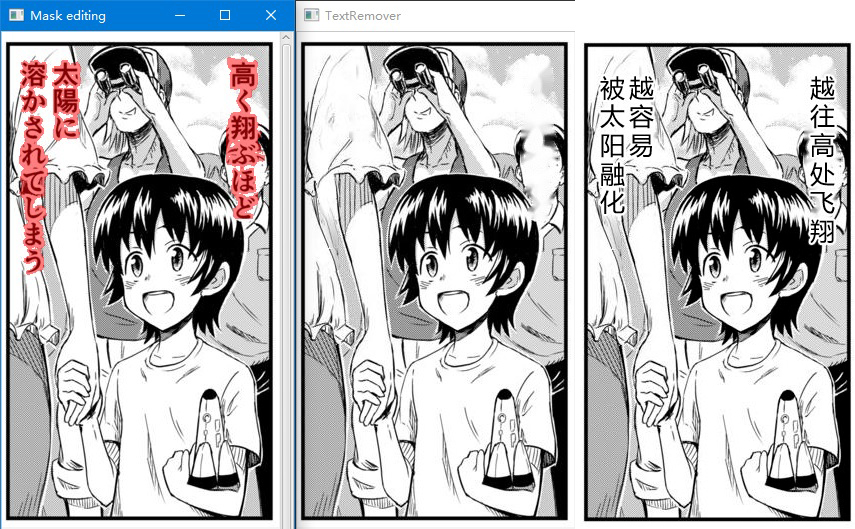
Inpainting requires a text mask first. The comic-text-detector mentioned above can produce a fairly precise mask. For ordinary images, a plain rectangle combined with a good removal model already works well. If the text separates easily from the background, simple binarization is enough — fast and accurate.
Text Translation
Traditional neural machine translation generally translates sentence by sentence and can send several sentences in one request. Some of the more advanced options support custom terminology; DeepL and Caiyun both perform well.
Large language models now substantially outperform traditional machine translation. They handle very long context, can read images with vision models, let you constrain the style through prompts, and support terminology as well.
Lettering
Placing text into the original image looks simple but is actually fairly involved. It needs to handle letter spacing, line spacing, font size, font family, rich text (bold and italic), color, rotation, outlines, vertical Chinese characters and many other settings. It also needs a degree of automation — automatically adjusting font size, setting text direction, and so on.
Technology Stacks
The technology stack is whatever the tool is built with. Because Python is the dominant language in AI and is easy to learn, most manga translation tools are written in it, with QT as the UI library and PyTorch or ONNXRuntime for inference.
Plenty of tools use something different, though — Java, Rust, JavaScript, Flutter, Go and so on. Each has its strengths: some are easy to distribute, some are cross-platform, some are fast. The field today is genuinely a contest of many schools.
Basic Information on the Nine Manga Translation Tools
The table below summarizes the basics of these nine tools. Note that the size given is the Windows installer or archive, and where models are downloaded separately or bundled, that is noted. “Paid” here refers to the software itself, and “models bundled” means whether the installer already contains the OCR and text removal (inpainting) models.
| Software | Released | Tech stack | Size | Paid | Open source | Models bundled | Link |
|---|---|---|---|---|---|---|---|
| ImageTrans | 2020 | Java + JavaFX | ~400MB (models included) | Paid (personal from ¥75) | No | ✅ Bundled (OCR and Lama inpainting models, runs offline) | Link |
| BallonsTranslator | April 2022 | Python + PyTorch | ~32MB (~1.7GB models to download) | Free | ✅ GPL-3.0 | ❌ Downloads on first run | Link |
| Comic-Translate | January 2024 | Python + ONNXRuntime | ~95MB | Free | ✅ Apache-2.0 | ❌ Downloads from Hugging Face | Link |
| Koharu | April 2025 | Rust + Tauri | ~166MB | Free | ✅ Apache-2.0 | ❌ Downloads on first run | Link |
| Manga-Translator-UI | August 2025 | Python | ~1.3GB (models included) | Free | ✅ GPL-3.0 | ✅ Bundled (integrates manga-image-translator models) | Link |
| Saber Translator | February 2025 | Python + TypeScript/Vue | ~3.5GB (plus ~1.3GB models) | Free | ✅ GPL-3.0 | ⚠️ Models packaged separately | Link |
| Nekotranslator | July 2026 | Flutter | ~66MB | Free (bring your own translation API) | No | ❌ Requires a download | Link |
| ComiTrans | December 2025 | Python + ONNXRuntime | ~442MB (plus ~463MB models) | Free | ⚠️ No open-source license | ⚠️ Models packaged separately | Link |
| Dango Translator | February 2020 | Go | ~833MB | Manga translation is paid | No | ❌ Fully cloud-dependent, no local models | Link |
As you can see, the overwhelming majority of manga translation tools choose Python with PyTorch or ONNXRuntime, go the free and open-source route, and distribute the program and models separately, downloading the models on first run. ImageTrans ships its models by default for an out-of-the-box experience, yet still comes in at only 400MB.
The technical details are too numerous to compare one by one. These tools broadly support all the models and algorithms for the four translation steps above. As it stands, ImageTrans additionally supports panel detection and BallonsTranslator additionally supports font detection.
The Tools, One by One
Below are brief reviews, screenshots and result comparisons for each tool.
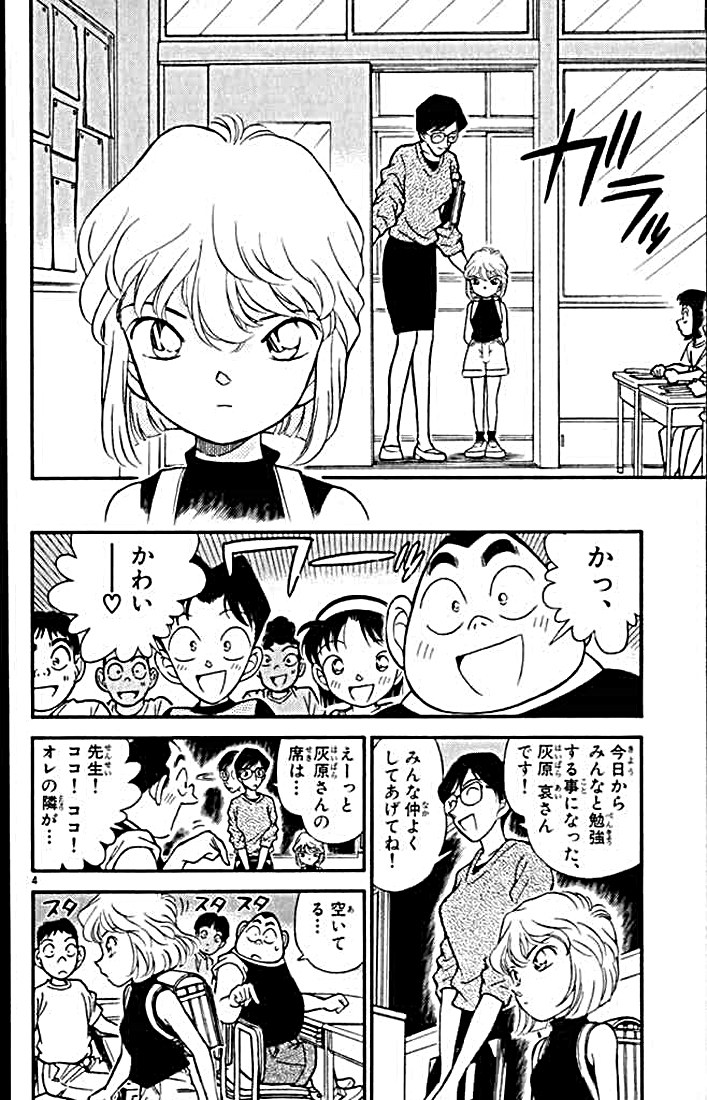
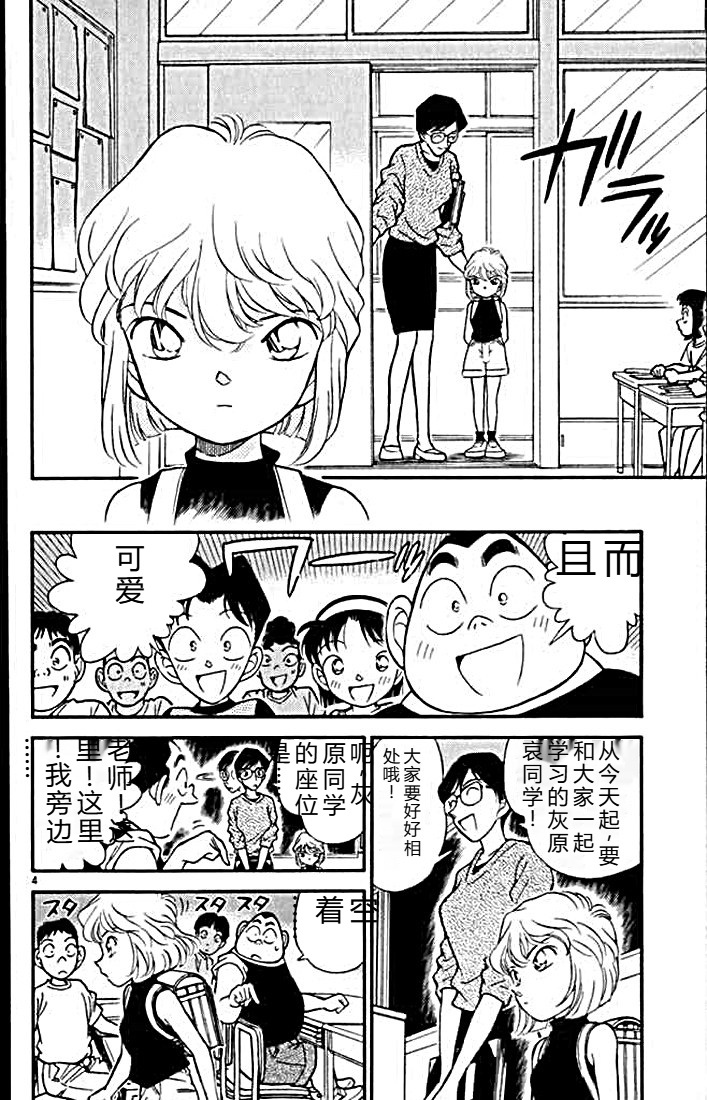
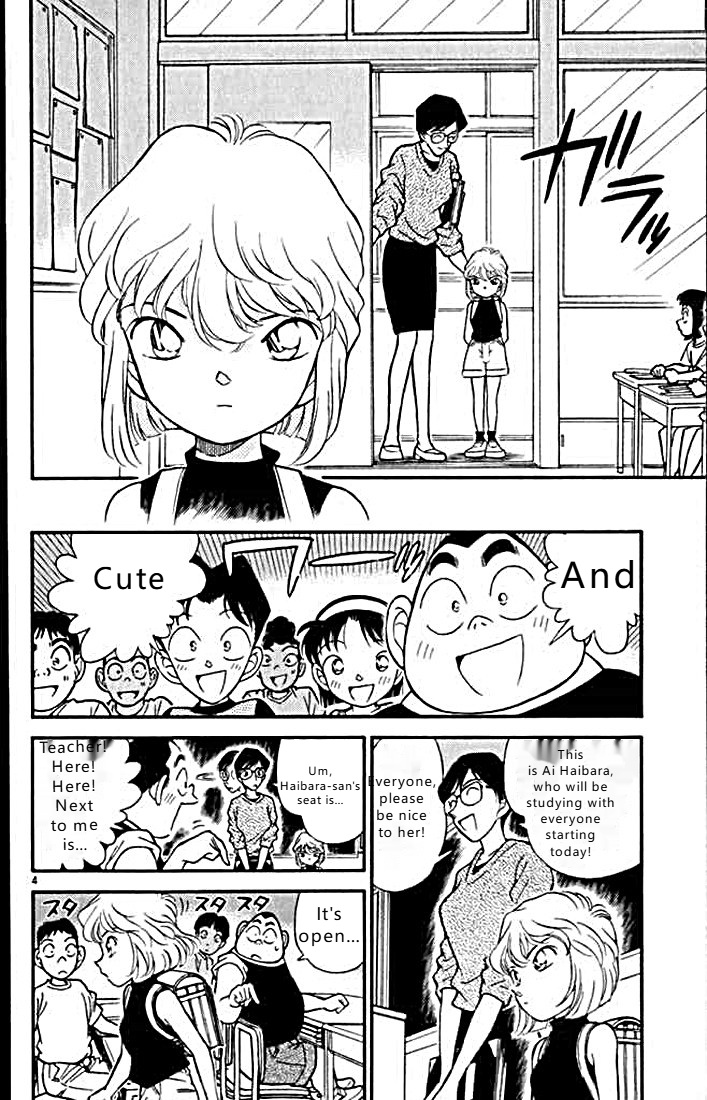
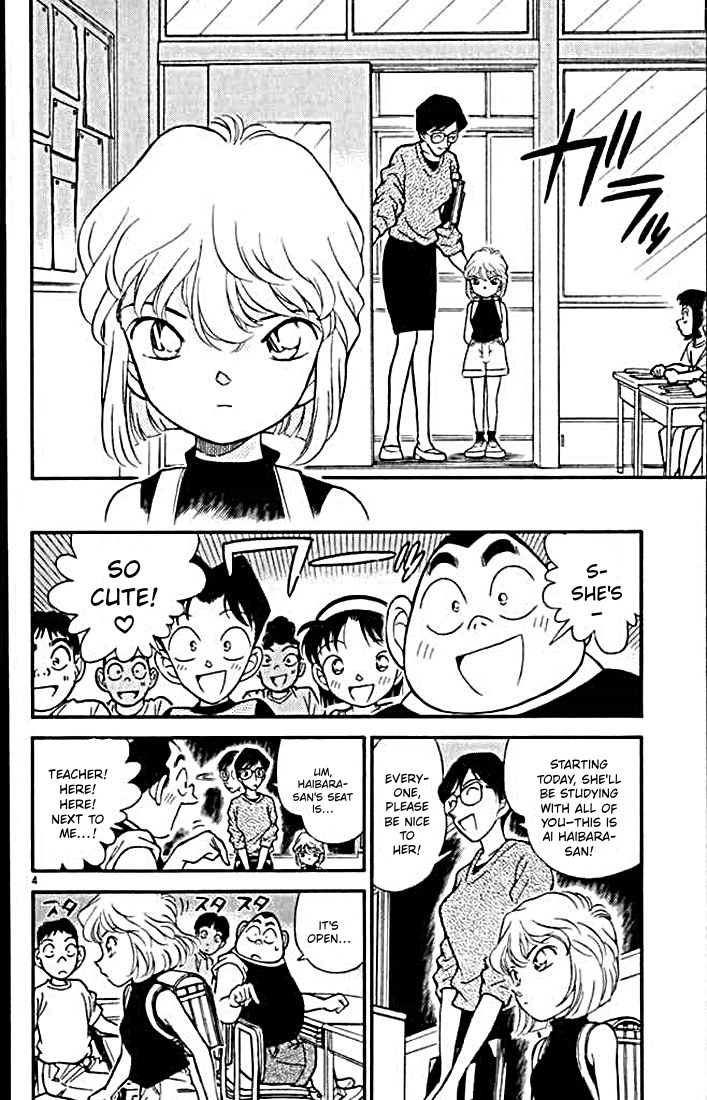
The sample manga page:
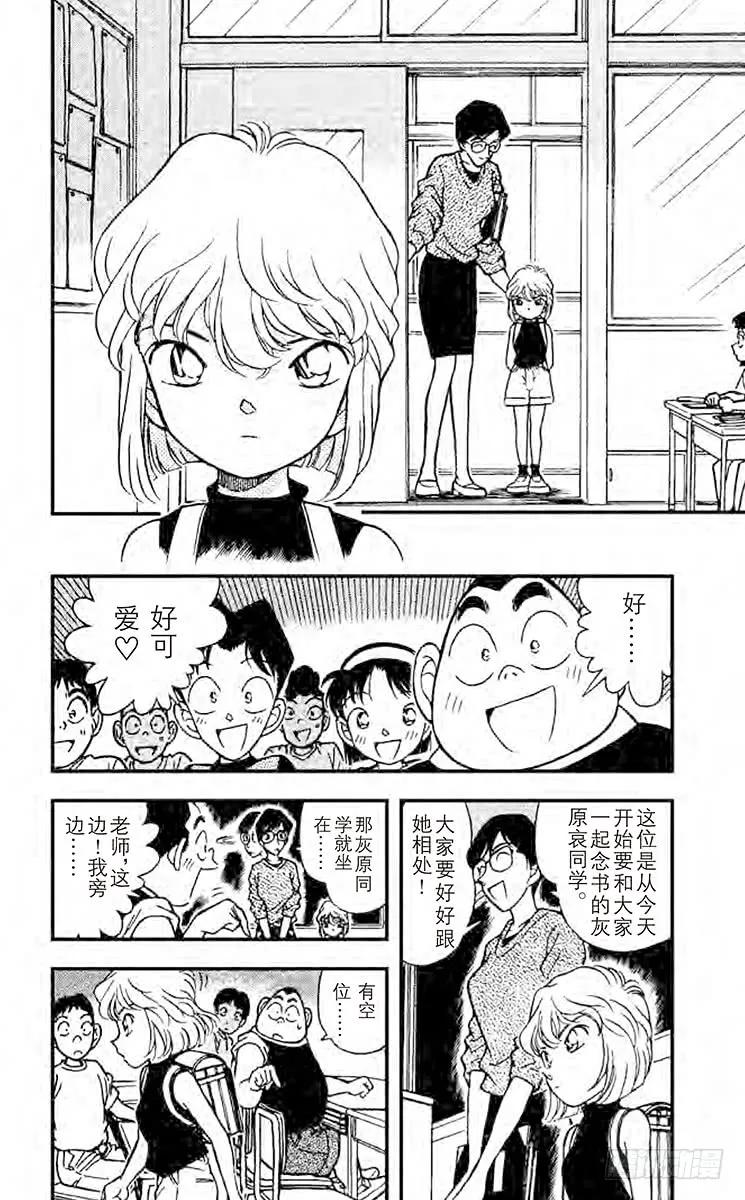
The official Chinese edition of the sample page:
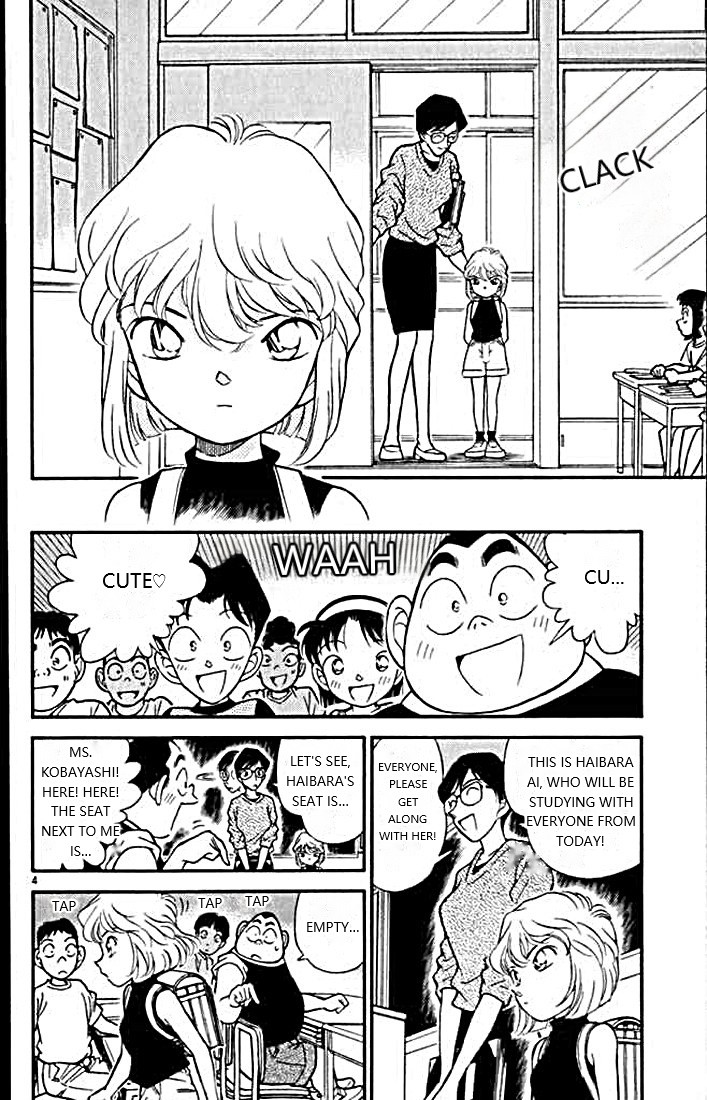
The official English edition of the sample page:
ImageTrans
ImageTrans is a cross-platform computer-aided image translation tool written in JavaFX. As paid software it genuinely delivers on usability, with rich features and deep customizability. At around 400MB it includes the runtime and all the basic OCR and text removal models, and it works well whether you are translating fully automatically or editing by hand — and it is fast. It supports a browser extension and PSD export, along with many other features such as searchable PDF generation, converting traditional comics to webtoon format, and document scanning.
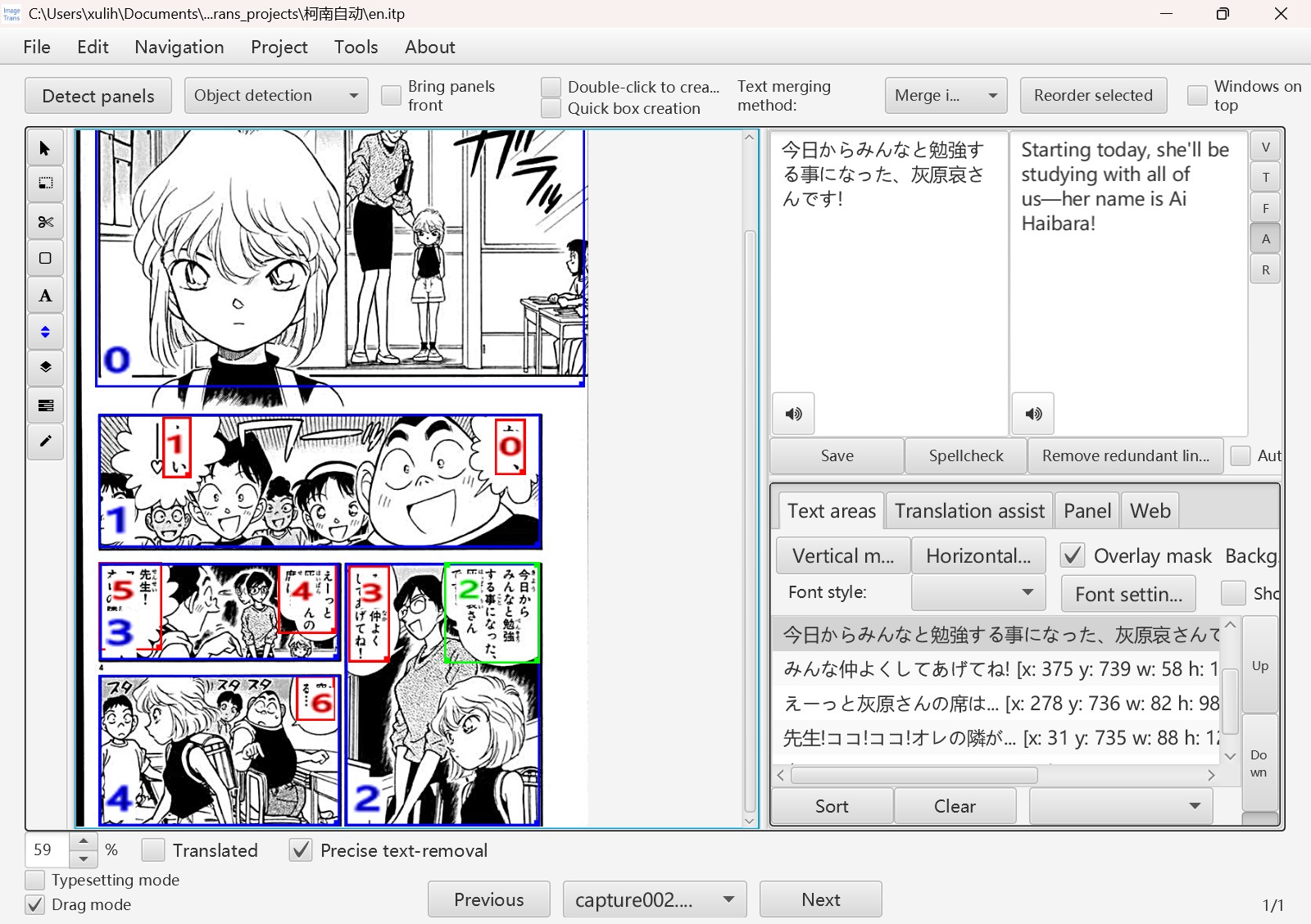
Automatically translated Chinese version:
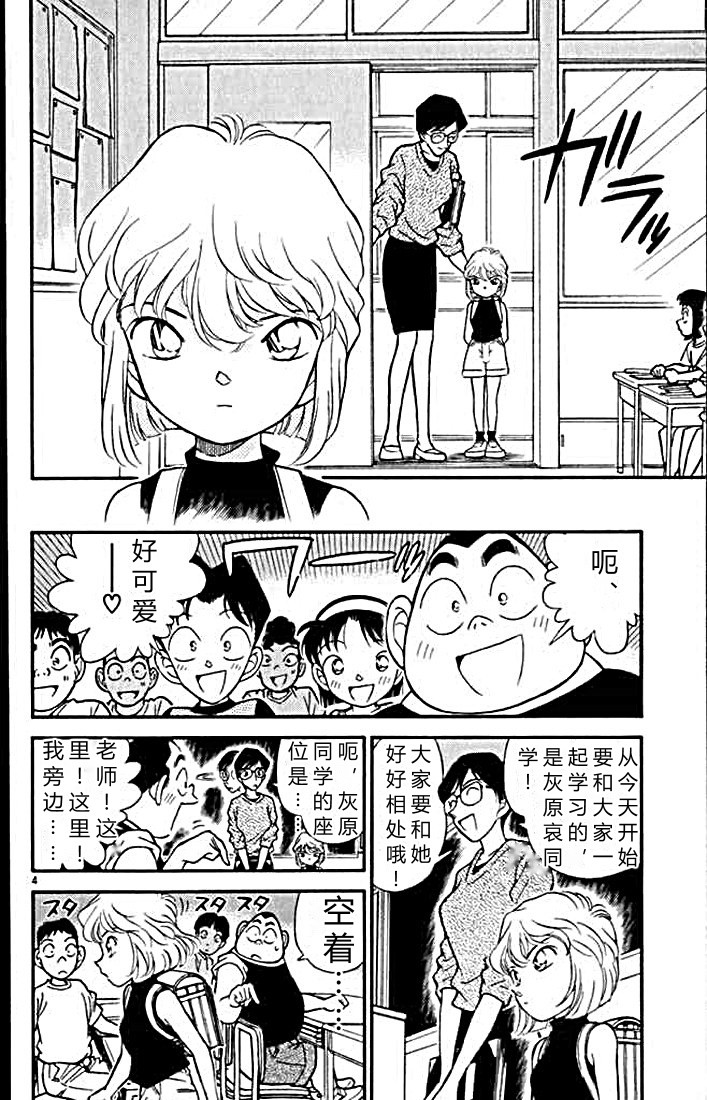
Chinese version after manual editing:
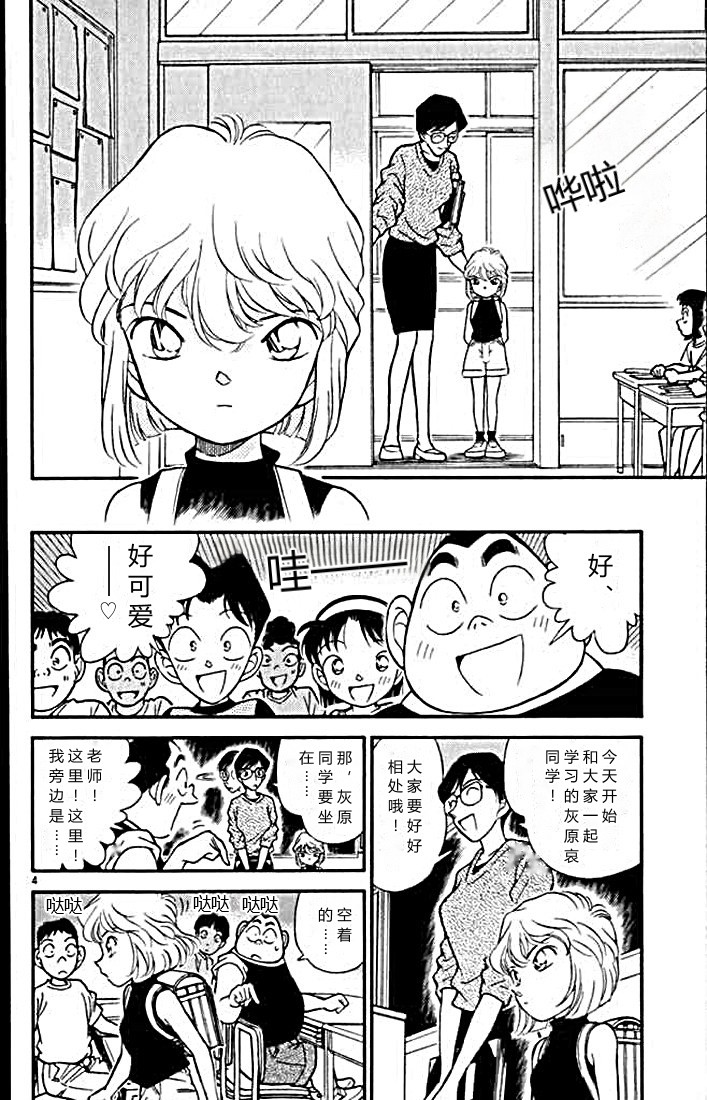
Automatically translated English version:
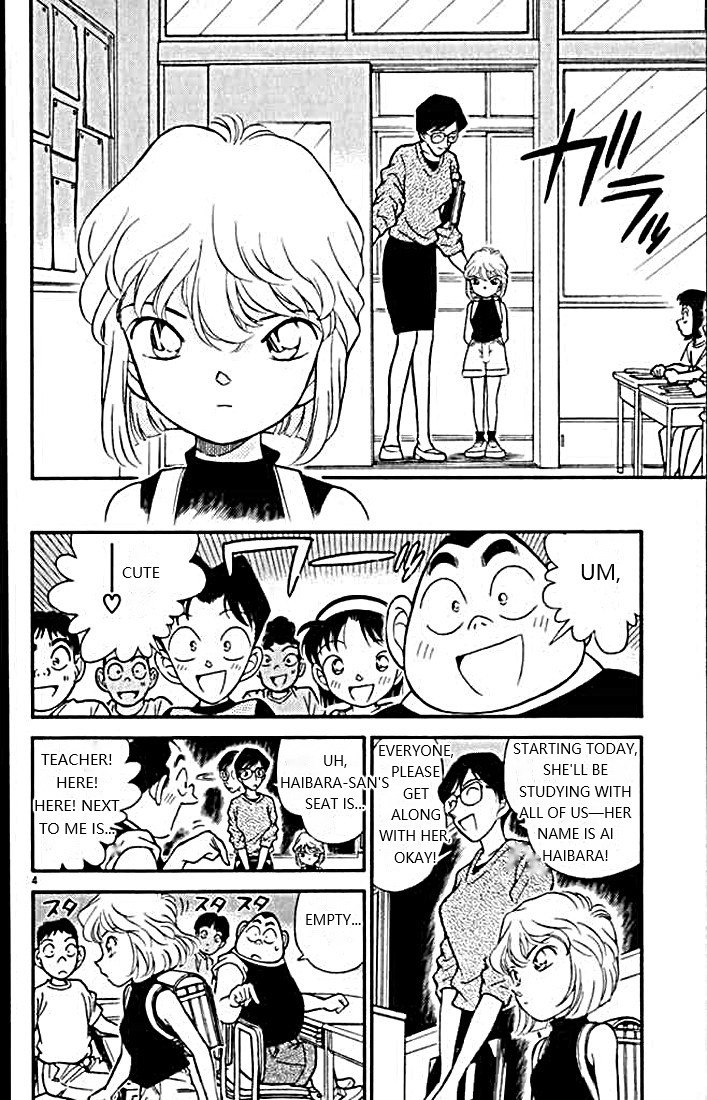
English version after manual editing:
Because ImageTrans makes lettering and removing sound effects relatively easy, a manually adjusted version is included here as well.
BallonsTranslator
BallonsTranslator was the earliest open-source computer-aided manga translation tool. It is written in Python, runs most of its models through PyTorch, and supports acceleration on a range of GPUs. It can be difficult to use from mainland China, though — the models often fail to download — and the default output and the degree of interactivity leave something to be desired. Still, the number of adjustable parameters is already substantial, and being open source means anyone can customize it to their heart’s content.
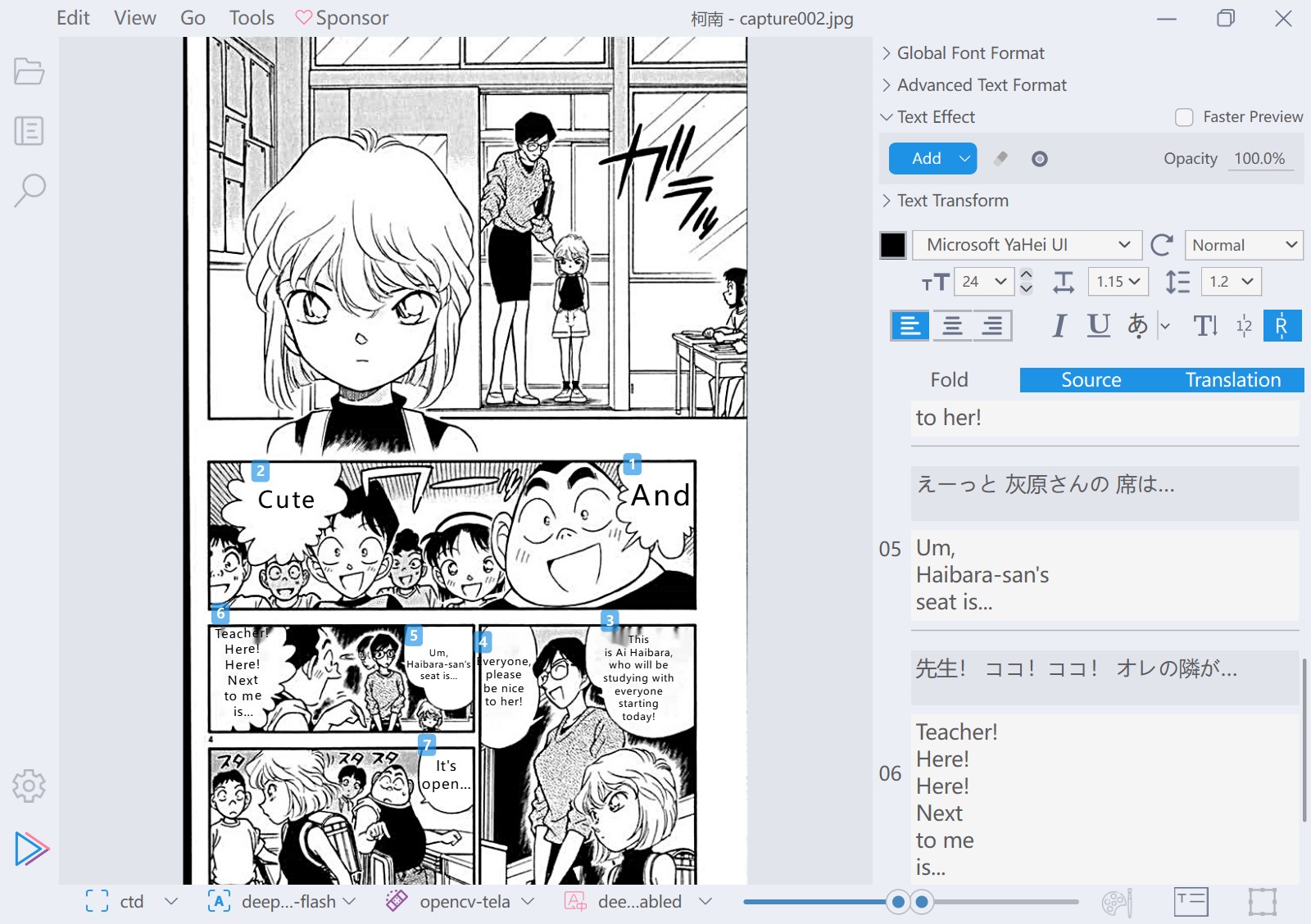
Automatically translated Chinese version:
Automatically translated English version:
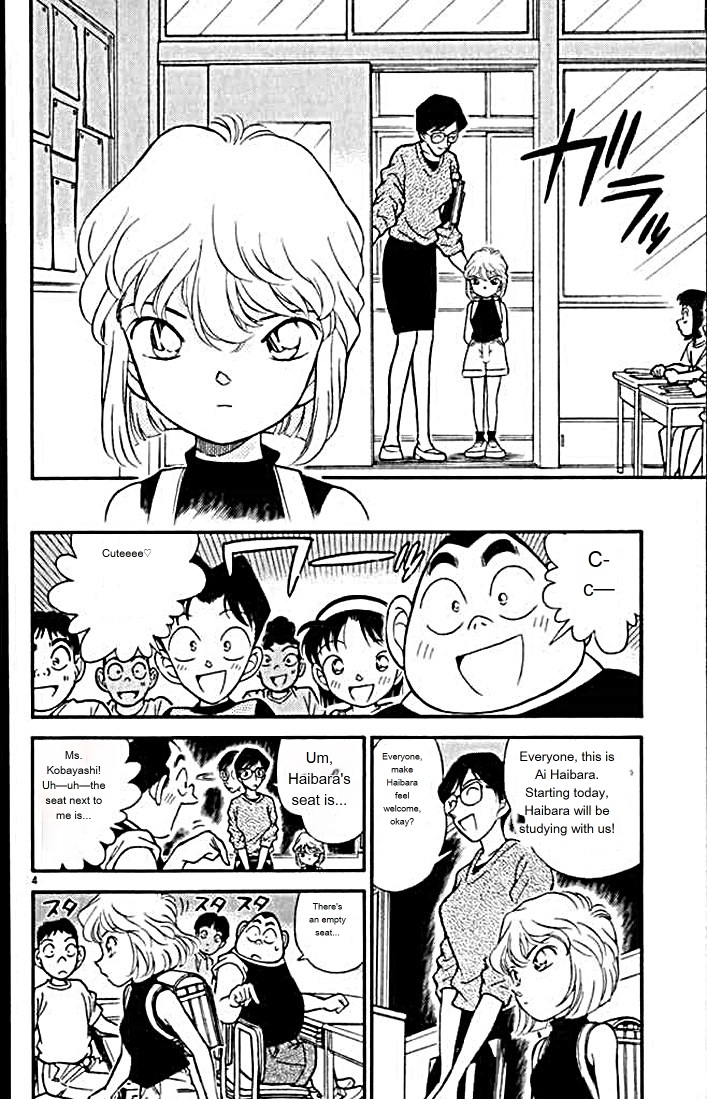
Comic-Translate
Another open-source tool focused on manga translation, also written in Python, but running most models through ONNXRuntime. The default translation requires buying credits, though a custom endpoint lets you use your own API. The editing interface is on the simple side.
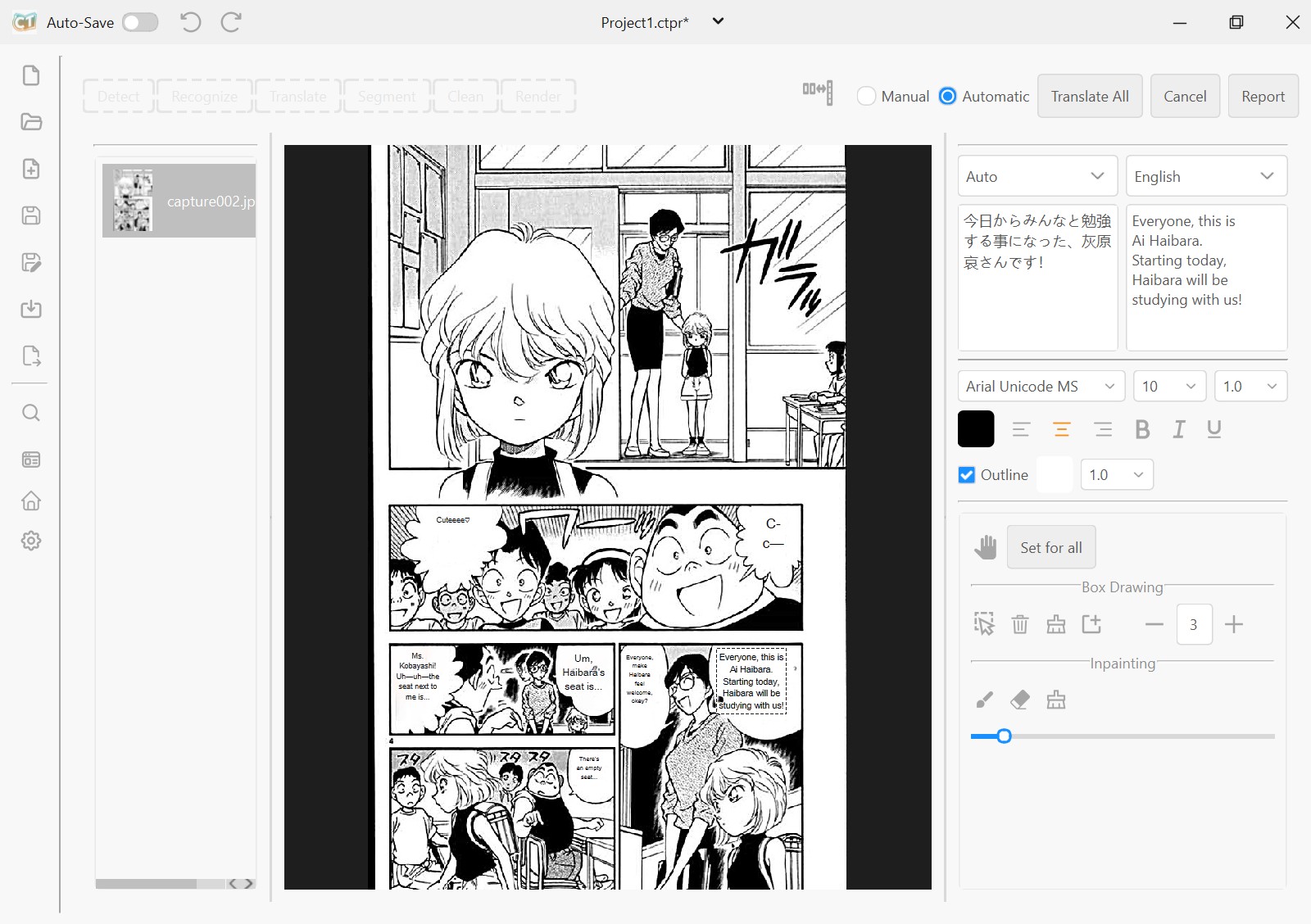
Automatically translated Chinese version:
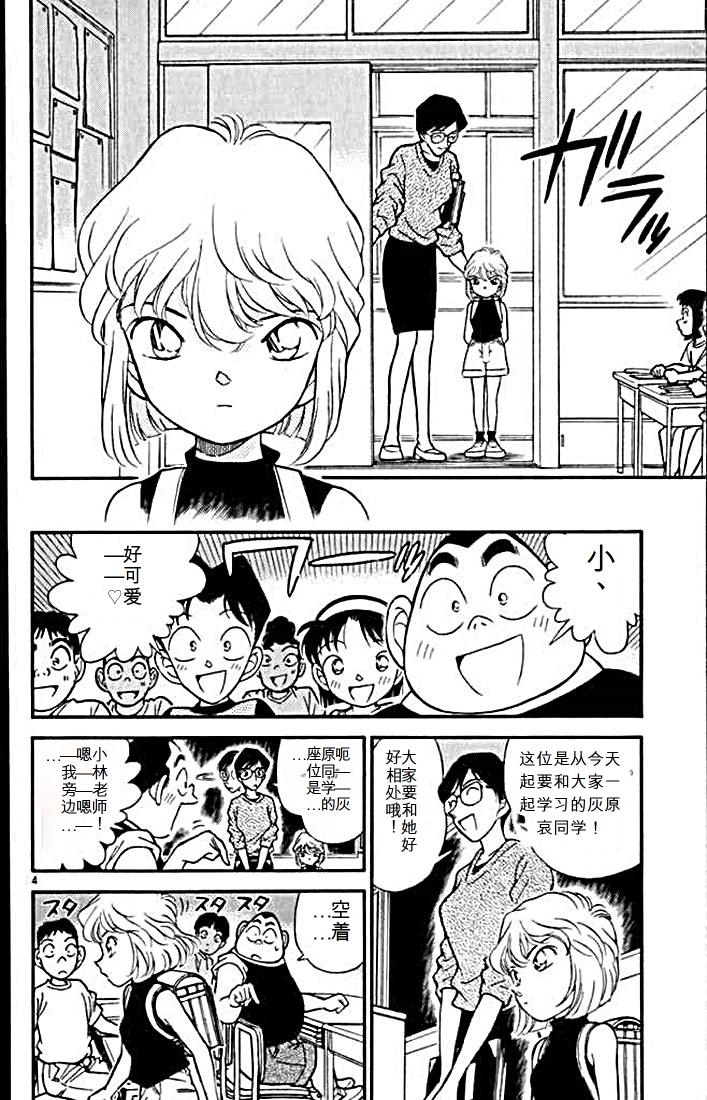
Automatically translated English version:
Koharu
Koharu is an open-source manga translation tool written in Rust and Tauri. Its author has contributed a great deal to the Rust ecosystem along the way, training and converting a number of models. Users in mainland China need a VPN to download the binaries, which is less than friendly. The engineering here is strong, but I still did not find it comfortable to use. Text is centered on the speech bubble, for instance, and bubbles are often irregular, so centering gives a poor result.
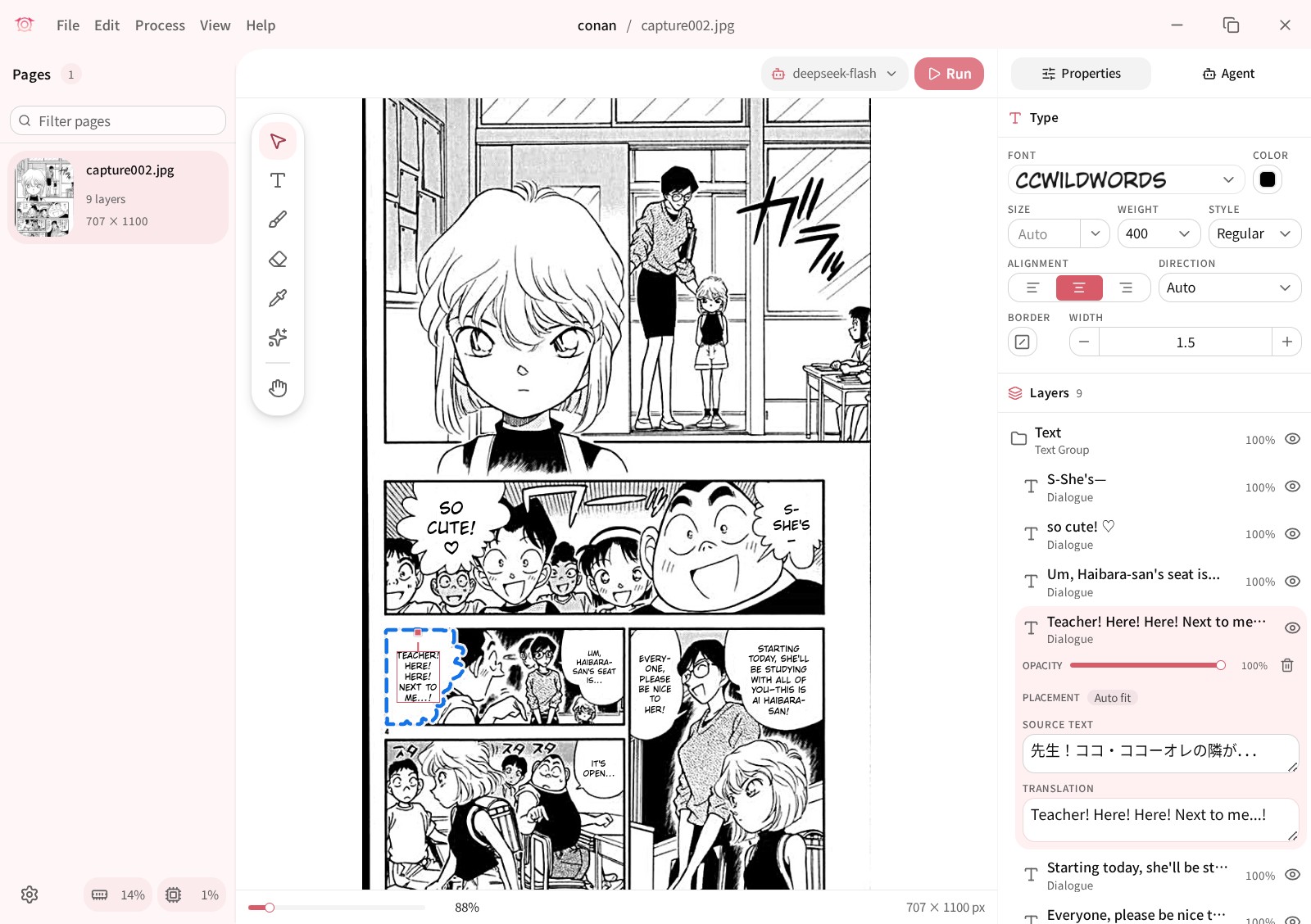
Automatically translated Chinese version:
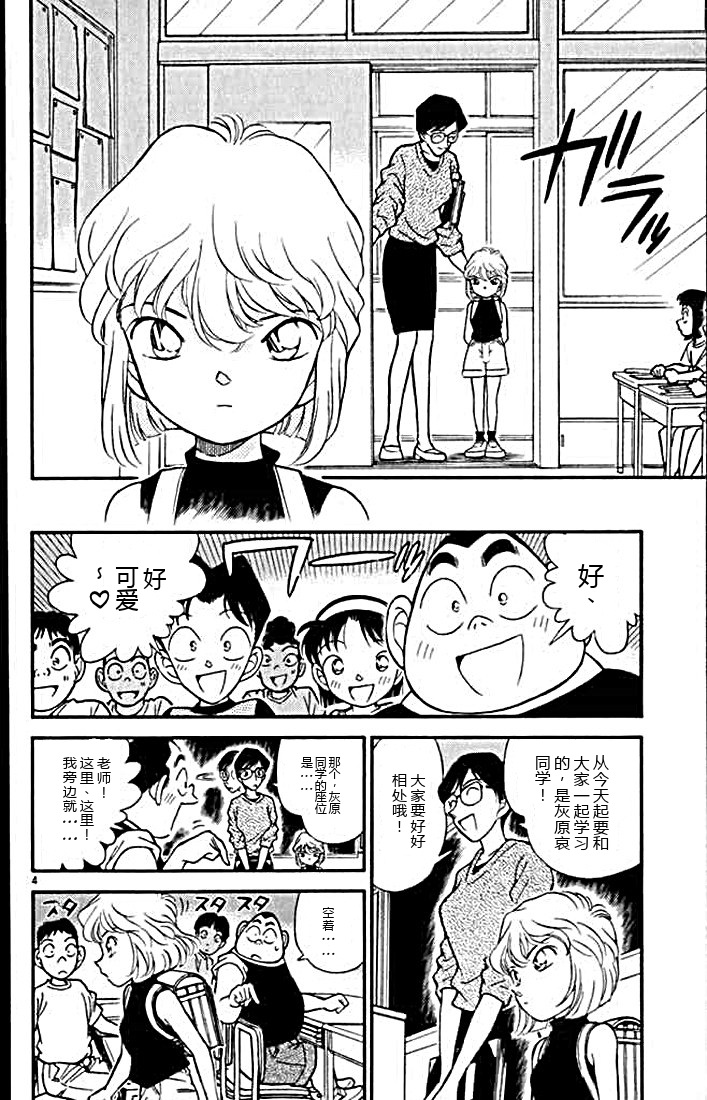
Automatically translated English version:
Manga-Translator-UI
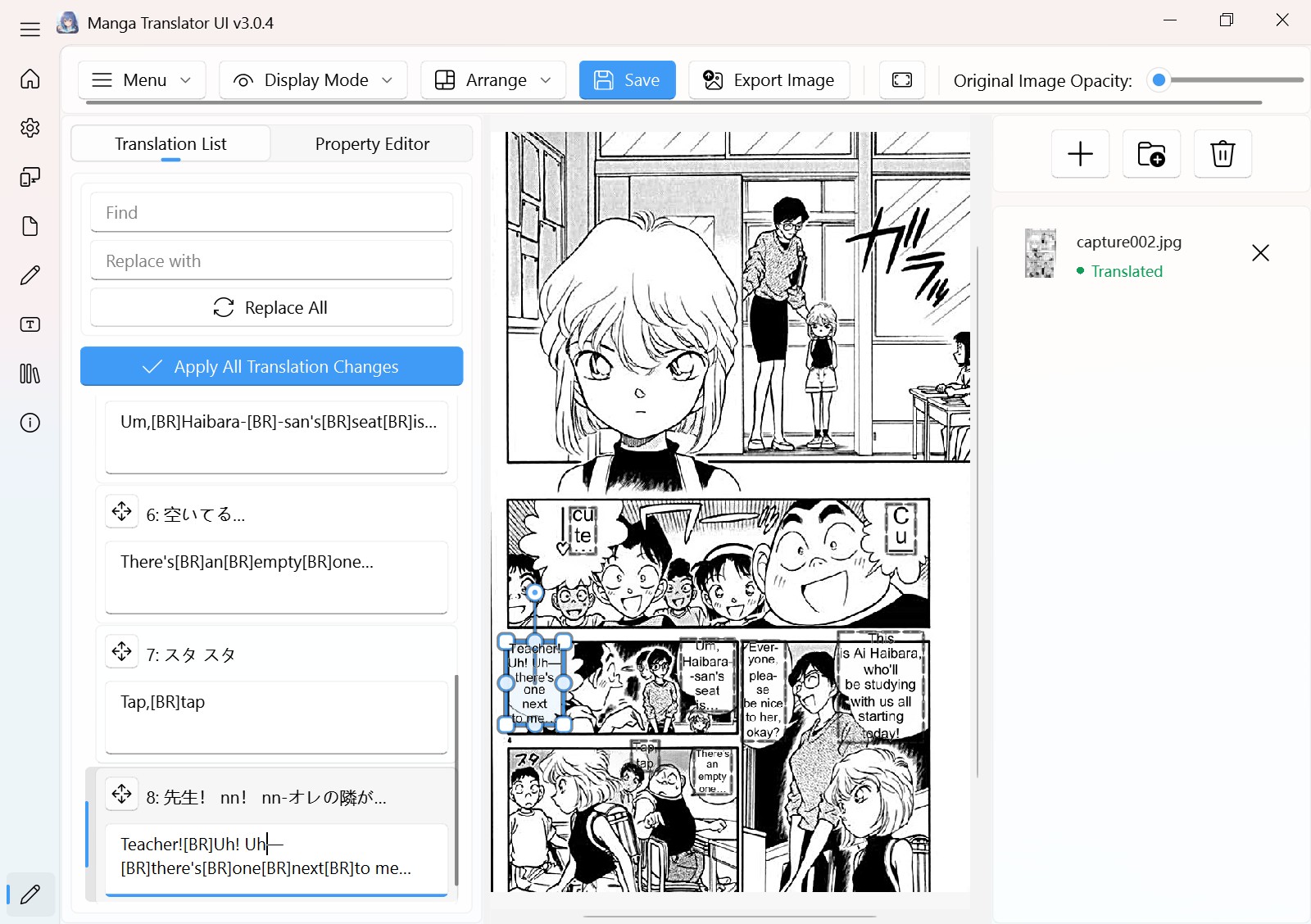
An open-source graphical program built on the main models and design of manga-image-translator. The developer communicates technical ideas well and works quickly, and there are plenty of distinctive features. I am not fond of its line breaking, though: you have to insert line breaks by hand and it cannot wrap automatically, so the lettering is only so-so. It offers two interfaces, a web one and a Python desktop one. The default desktop interface is shown here.
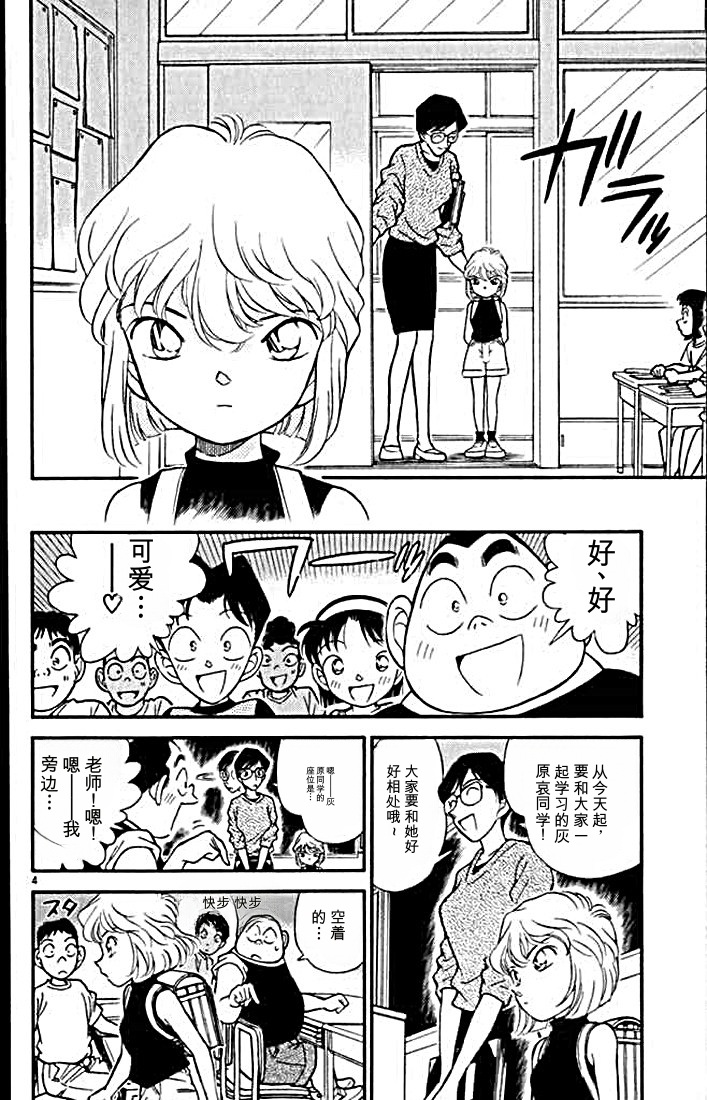
Automatically translated Chinese version:
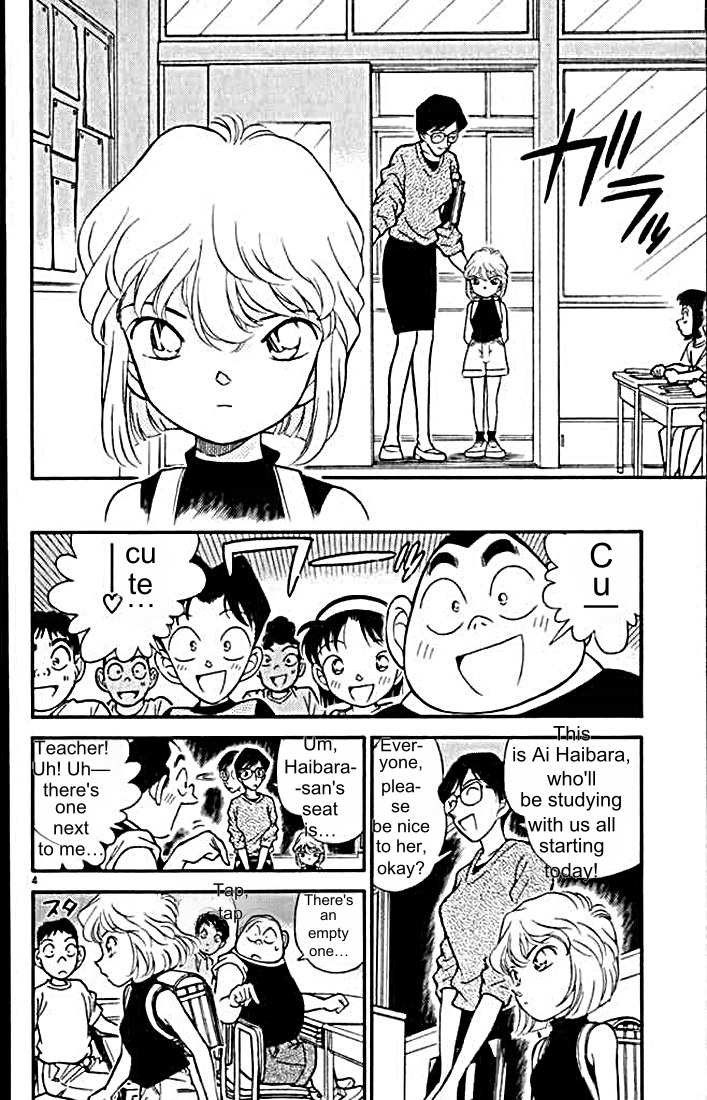
Automatically translated English version:
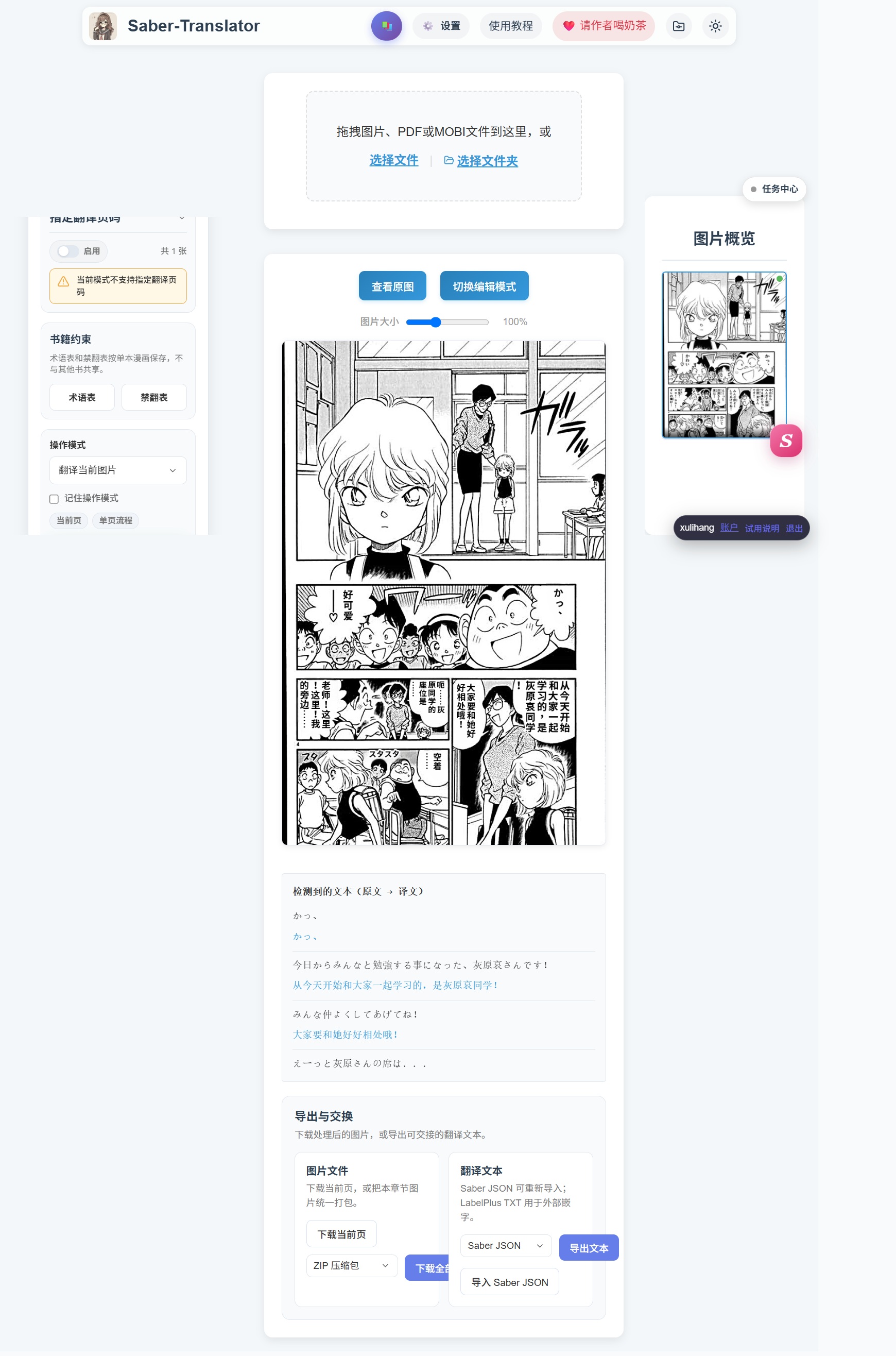
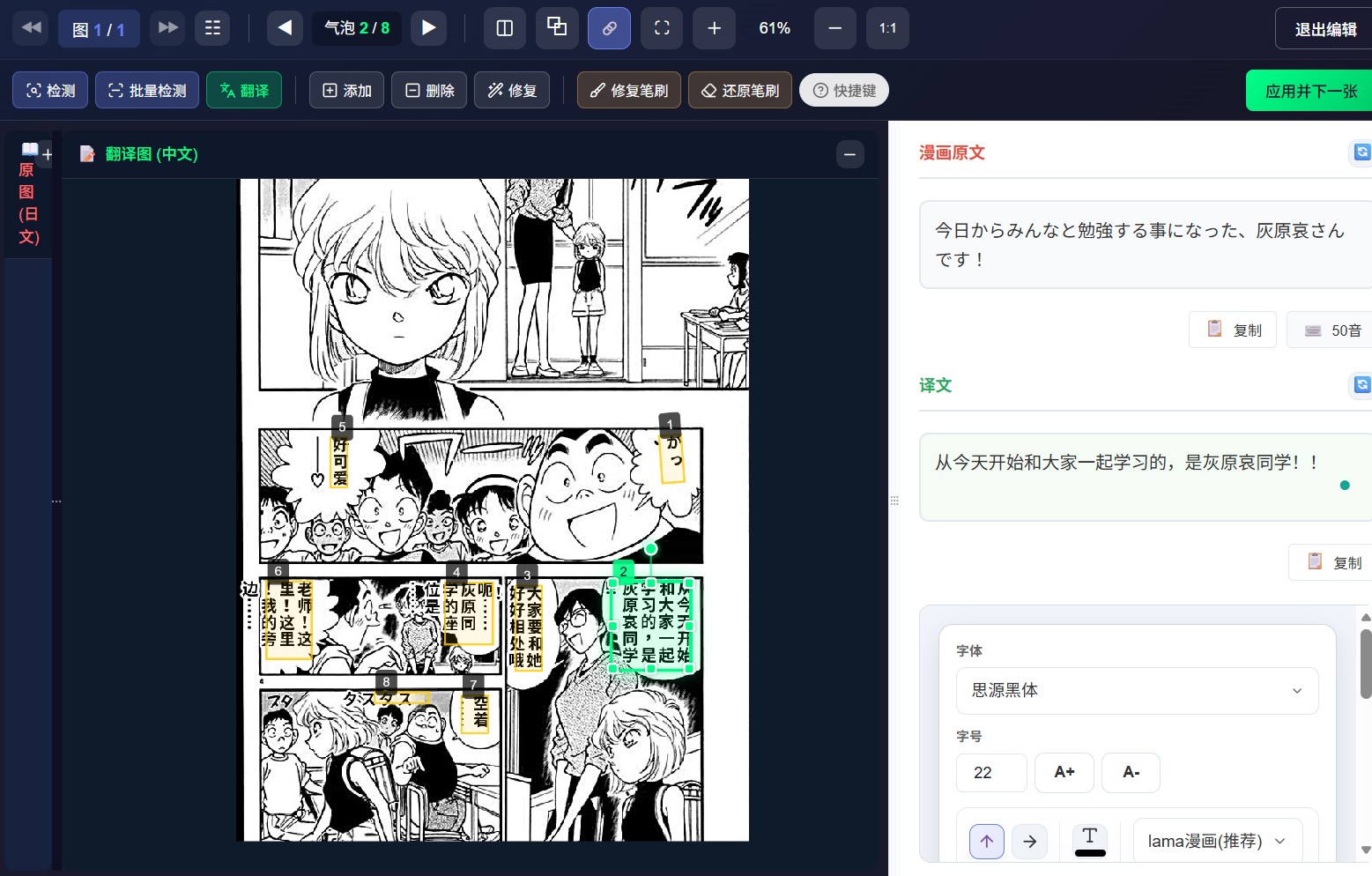
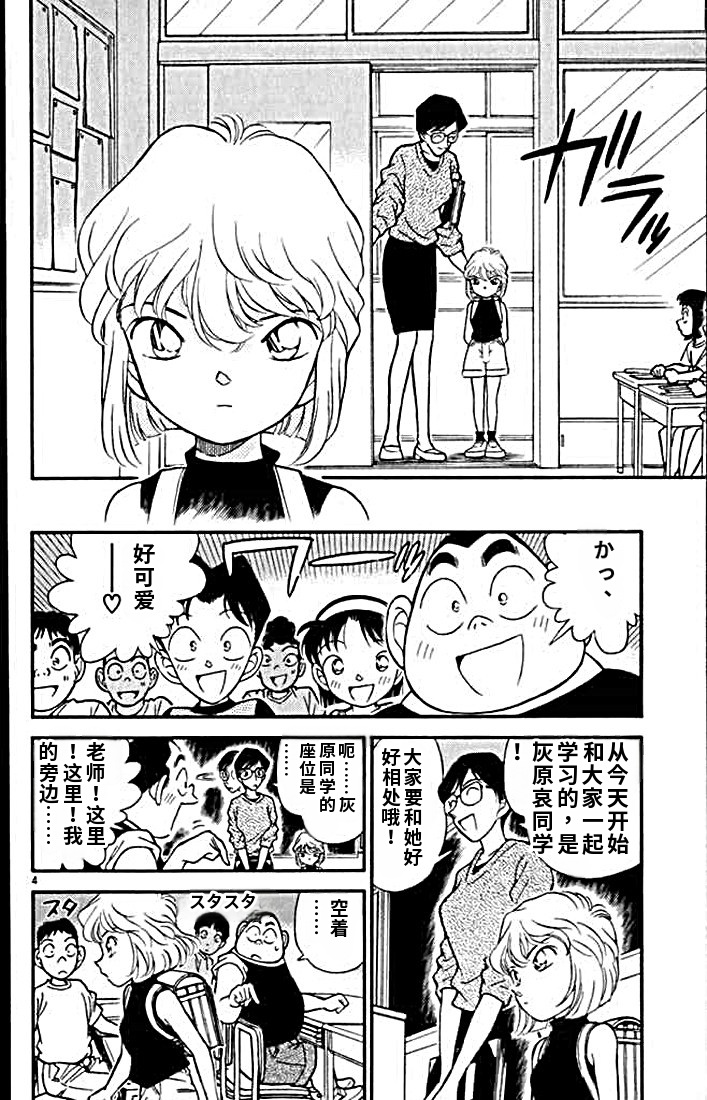
Saber Translator
This open-source project uses a separated front-end and back-end architecture and offers an online version, so users can run it in the browser without downloading anything. It has some original ideas too, such as book management that generates a synopsis to assist translation. For now it is mainly used to translate into Chinese, and support for other languages is average.
Images rendered through web technology look decent, but I really do not like this web interface. It is rough, and it does not display well on my small screen.
Main interface:
Editing interface:
Automatically translated Chinese version:
Nekotranslator
A new manga translation tool from the author of LabelPlus, the collaborative scanlation software. Written in Flutter, it is the only tool here that supports desktop, Android and iOS.
The workflow is novel, but I am still more used to an interface like Photoshop’s. It is also still fairly rough around the edges.
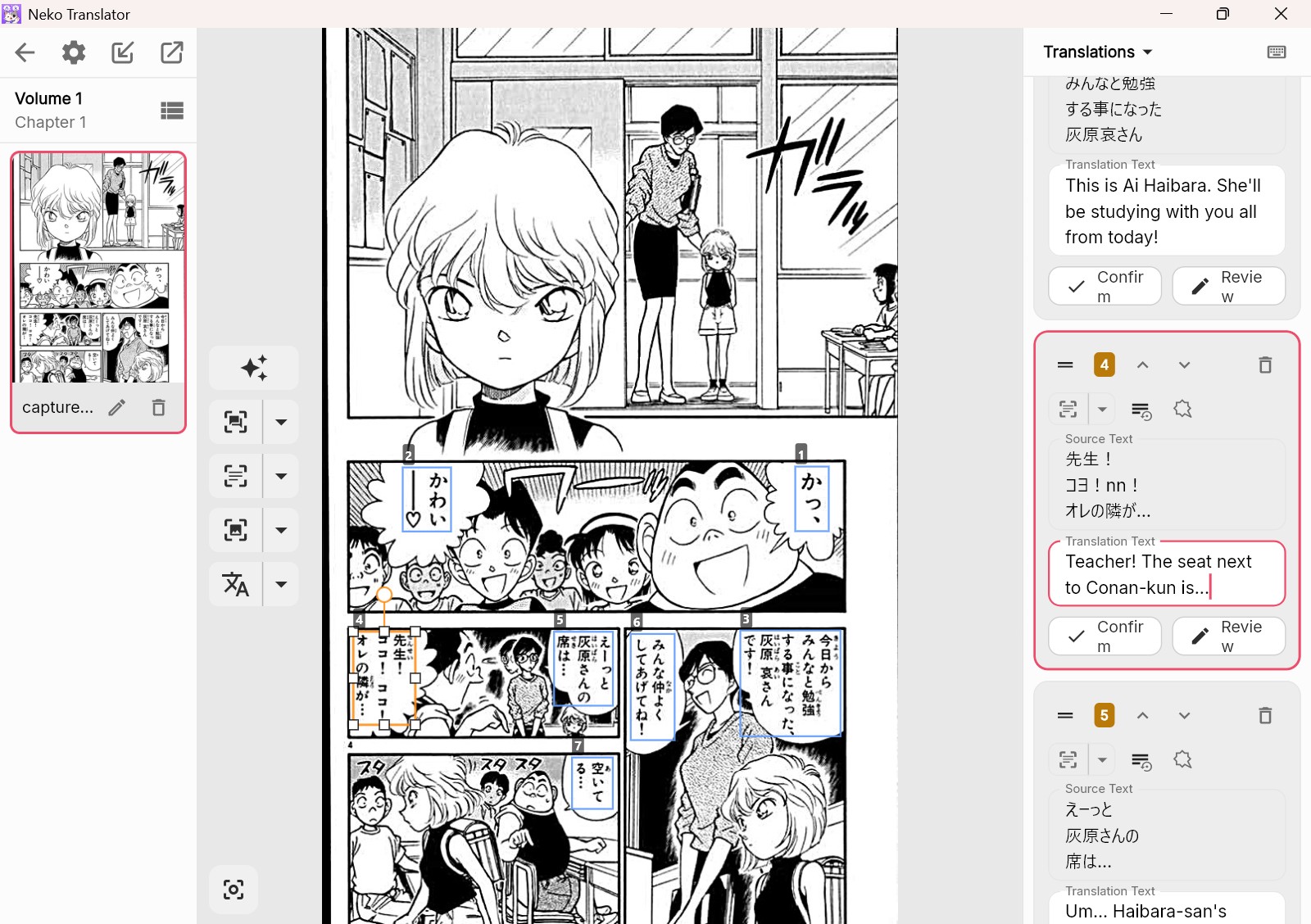
Automatically translated Chinese version:
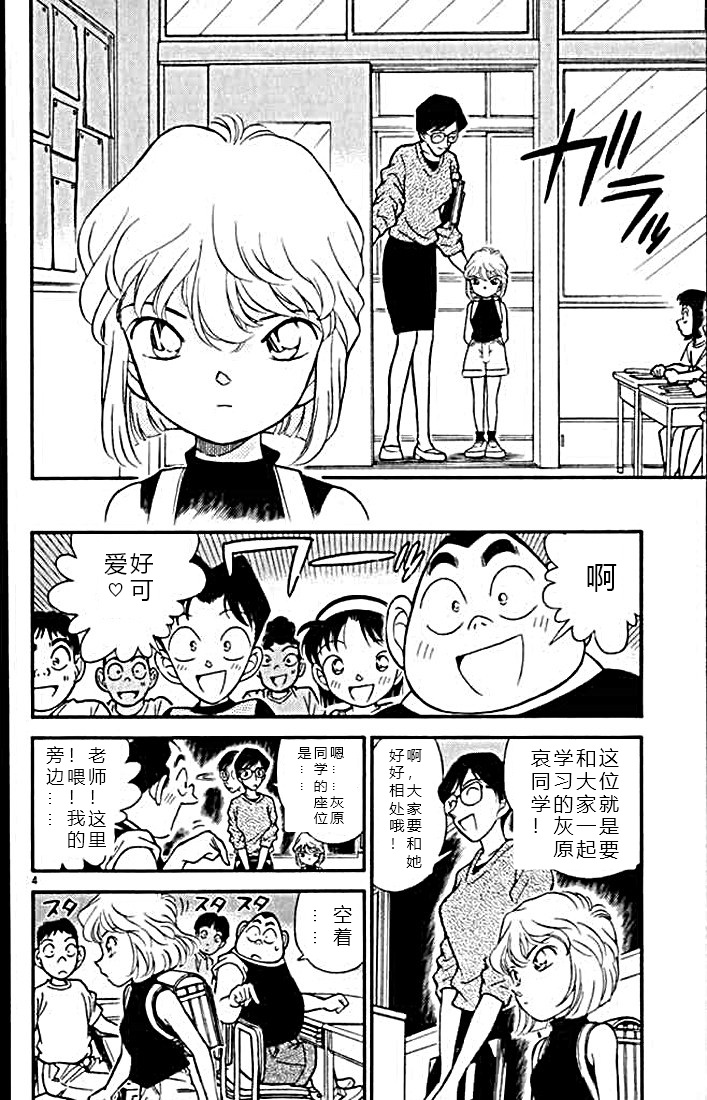
Automatically translated English version:
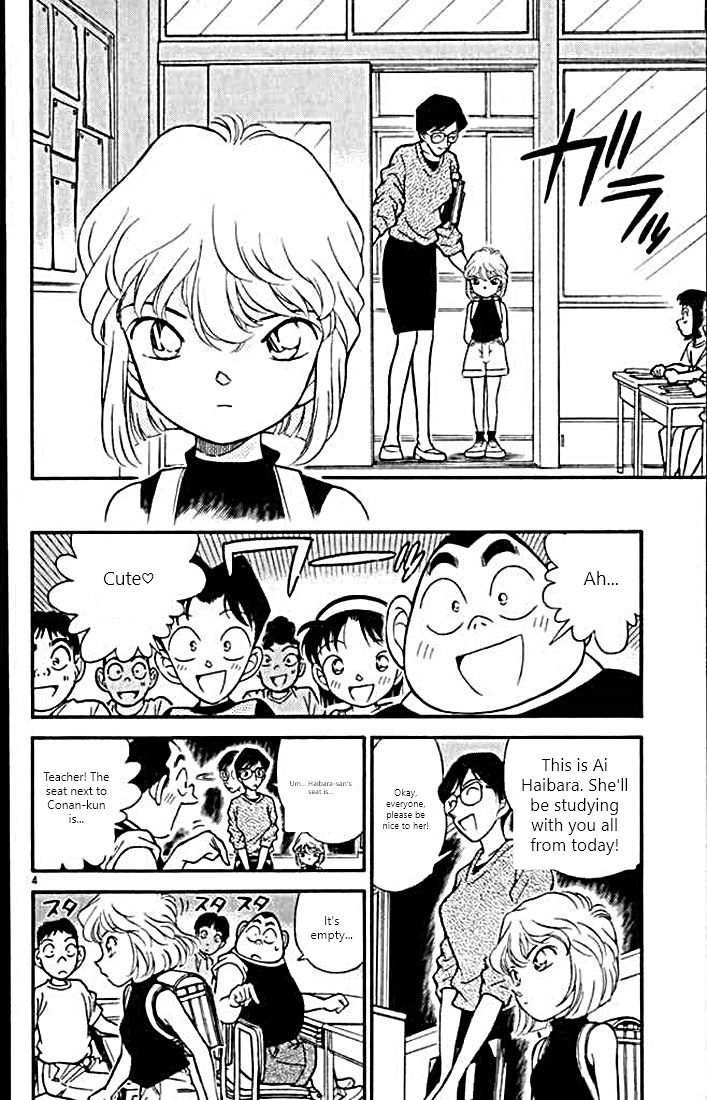
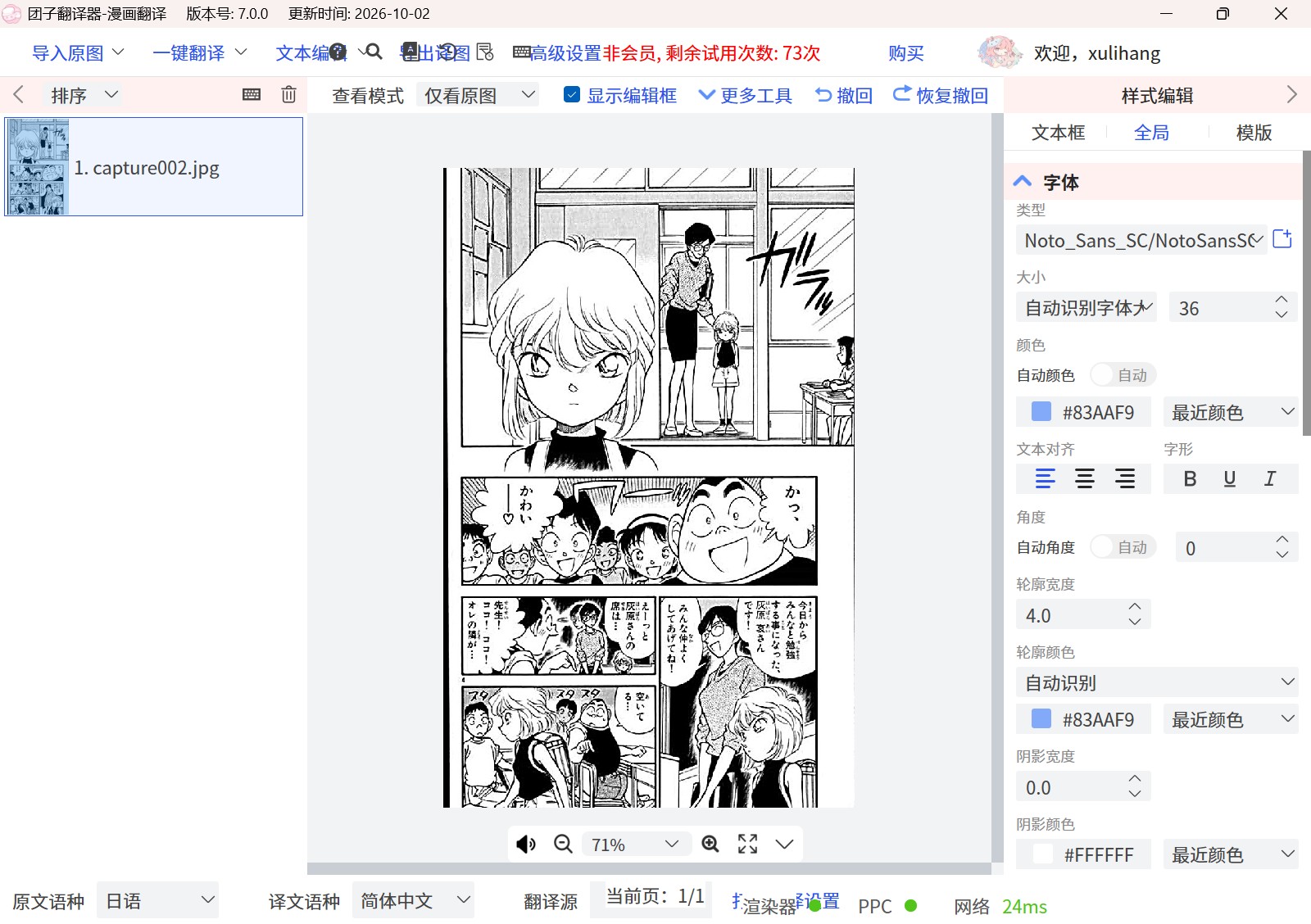
ComiTrans
A recently released open-source tool. It is simple to use and easy to install, with a 400MB main program and 400MB of models. The number of configurable options is still very limited, and neither the interface language nor translating into other languages can be set yet. Like ImageTrans, it can choose an appropriate inpainting method depending on whether the background is complex.
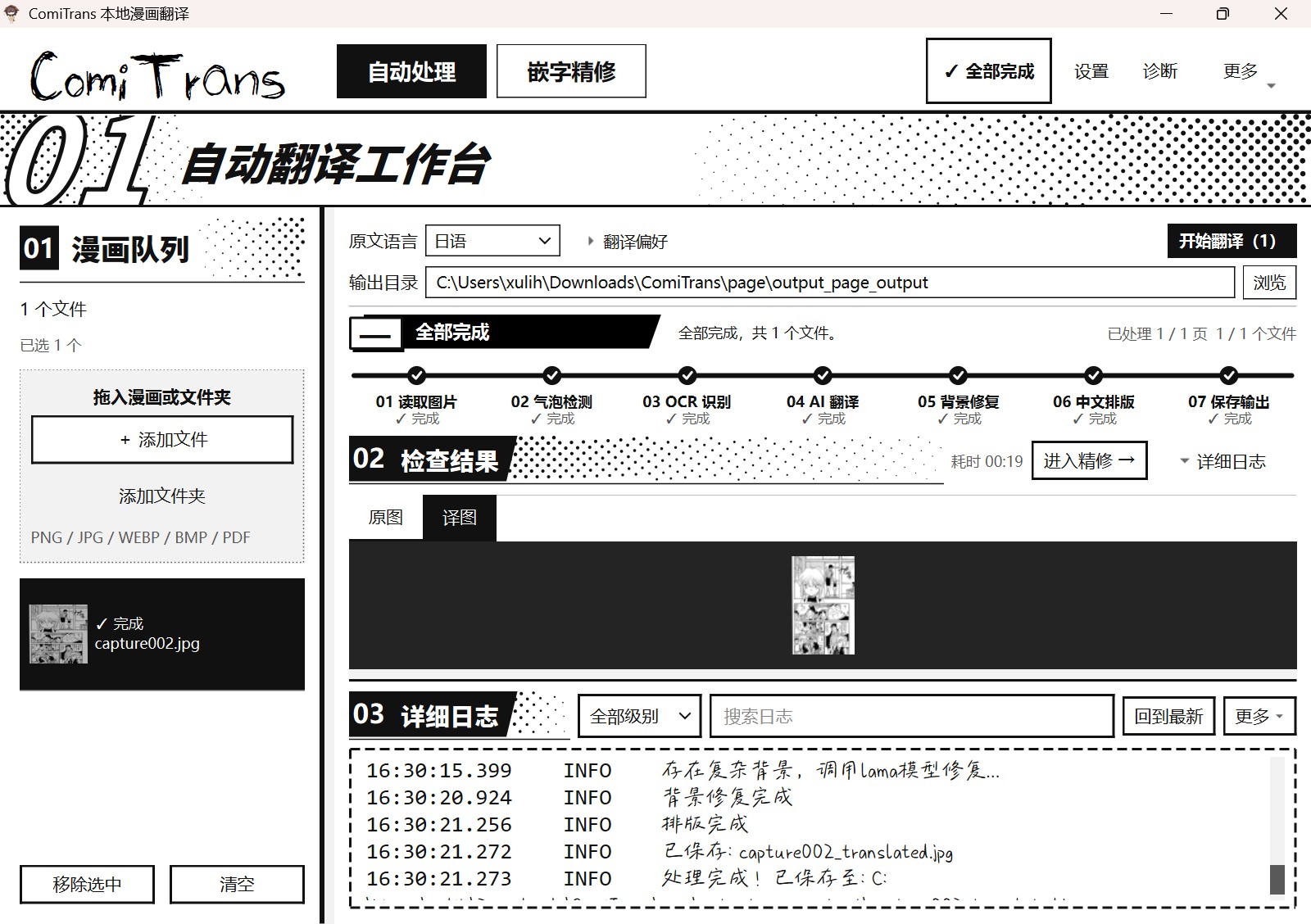
Automatically translated Chinese version:
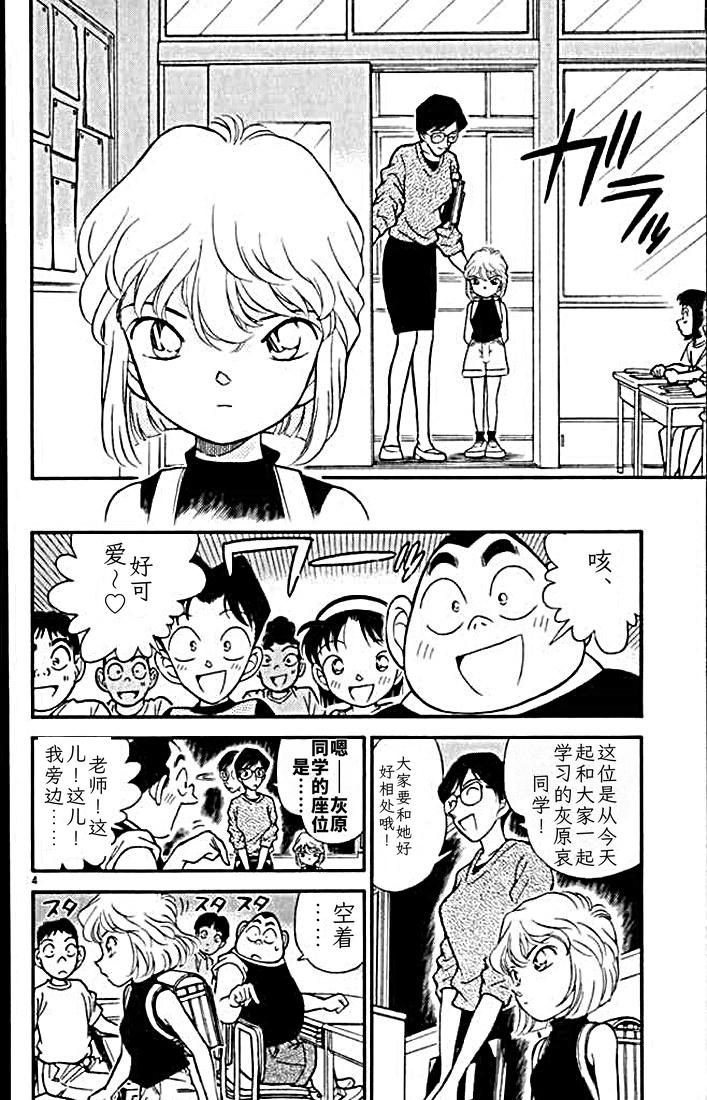
Dango Translator
Dango Translator appeared back in 2020, mainly for translating games via screenshot OCR, and it now supports manga translation as well. It is written in Go. Unfortunately its manga translation depends entirely on cloud services for OCR and text removal, which requires a subscription. When I tried it, the cloud service was down and the translation never went through. It does offer some editing, though the display has problems on small screens.
Conclusion
They are all manga translation tools, but each has its own features and interface design, some open source and some paid. Use this article as a reference. Pick the translation tool that suits you.
© 2026 BasicCAT ― Powered by Jekyll and Textlog theme