Home / Blog / Image Translation / Video Translation / Support / Donation / RSS
OCR for Ancient Chinese Books: Converting Scanned Ancient Texts into Searchable PDF and Markdown
Most classical Chinese ancient texts already have modern versions, whether digital or newly printed. However, a large number of ancient documents have yet to be digitized, such as local chronicles, genealogies, stele rubbings, rare library editions, and newly discovered or newly compiled versions of ancient books. To enable full-text search, version comparison, content proofreading, AI analysis, and long-term preservation, these documents still require digitization, a key step of which is OCR. This article introduces how to perform OCR on ancient books using the desktop OCR software ImageTrans, converting scanned ancient texts into searchable PDF and Markdown formats.
Challenges in Recognizing Text from Chinese Ancient Books
Recognizing text from ancient books presents difficulties such as vertical layout, complex page structures, image blemishes, tilted text, and recognition of variant and traditional Chinese characters. ImageTrans integrates OCR engines like PaddleOCR, mineru, and Qwen, which perform well with common traditional Chinese documents. For more challenging ancient texts, the Kandianguji Ancient Book API can be used.
Using ImageTrans
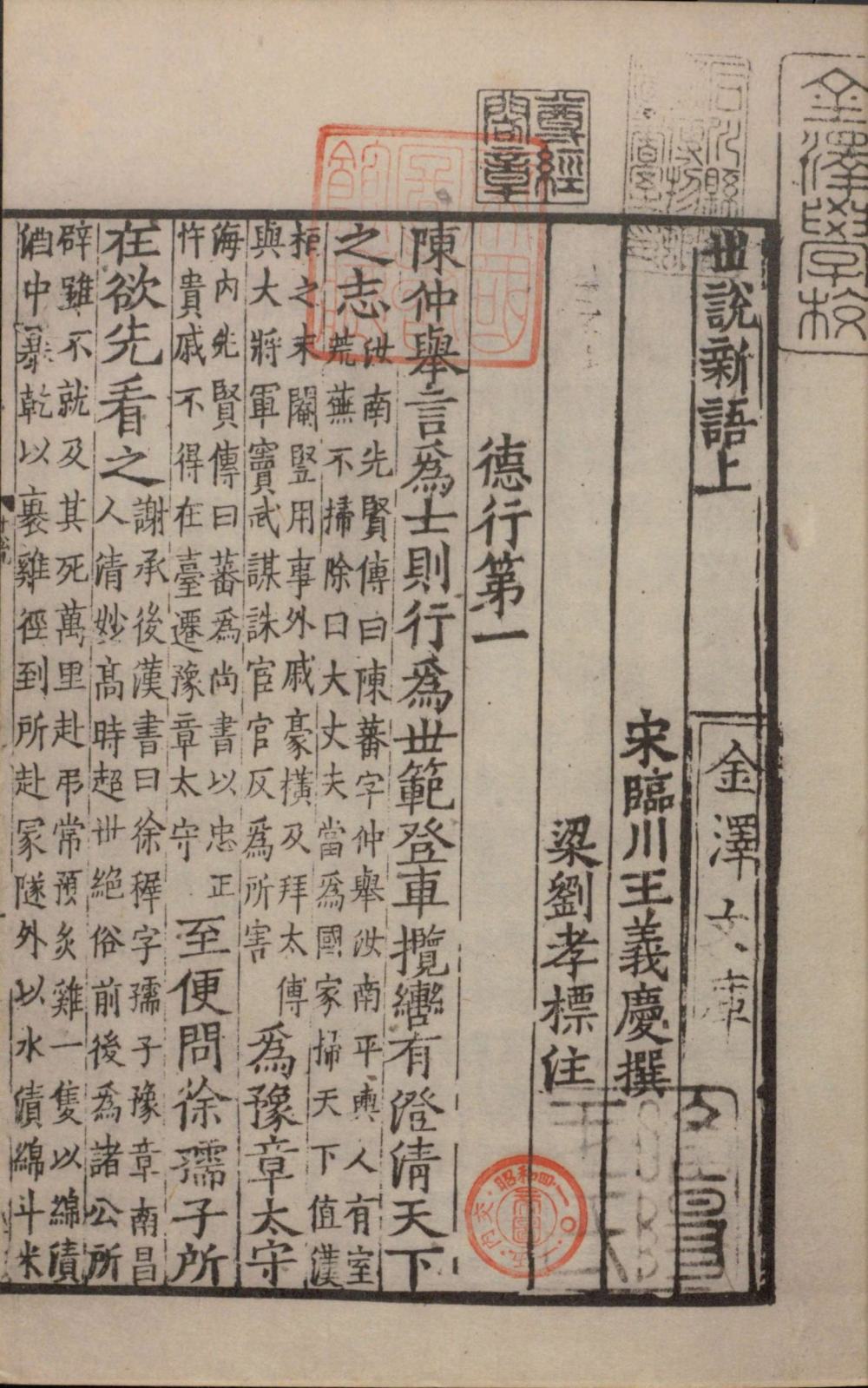
Below, we introduce how to use the Kandianguji Ancient Book API to recognize an image from Shishuo Xinyu (A New Account of the Tales of the World).
API Configuration
- Install the Kandianguji Ancient Book OCR plugin. Extract the plugin into the software’s plugins directory. Download
- Open ImageTrans, go to Preferences → API Settings, and fill in the API and account credentials (email or phone number) for the kandianguji entry.
The API can be obtained from the Kandianguji Ancient Books official website: https://kandianguji.com/shuzihua?page_mode=ocr_api
Text Recognition
- Create a new project and import PDF or image files. ImageTrans can directly extract images from scanned PDFs, importing hundreds of images in seconds.
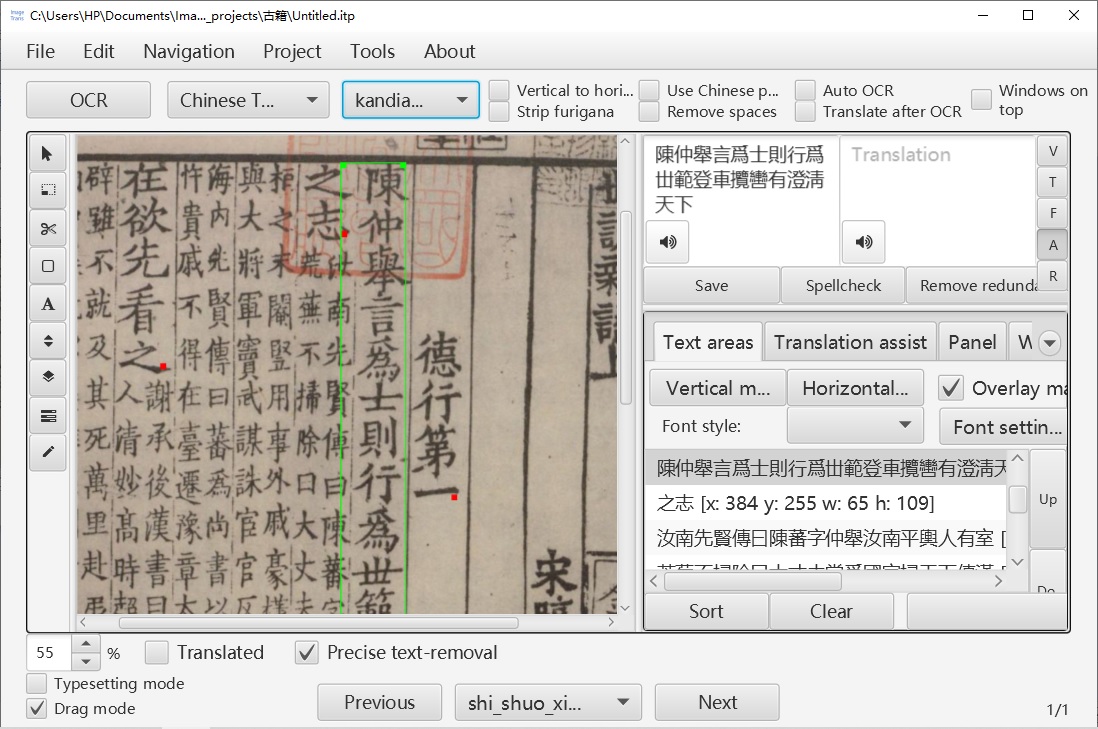
- Select the OCR engine as kandianguji, then click Edit → Detect text areas and recognize text to recognize text on a single image. The results will be highlighted on the original image, and both the recognition positions and text can be edited.
- To process all images, click Menu → Project → Batch Process → Detect text areas and recognize text for all pictures.
Export
After recognition, you can export the results as a searchable PDF or Markdown file. A searchable PDF retains the original scanned images while embedding a hidden text layer, making it easy to perform full-text search and copy text.
The Markdown format is more suitable for subsequent editing, version management, and AI processing, such as importing into knowledge base systems, generating training data, or performing automatic translation.
Note that due to the large number of rare characters in ancient books, a font with a large character set, such as Source Han Sans (Download), should be used to generate the text layer of the PDF.
Post-processing
Using large language models, you can further proofread the recognized text, add punctuation intelligently, translate, convert variant characters to standard forms, and perform traditional-simplified Chinese conversion. These features are yet to be integrated.
Conclusion
Digitizing ancient books is not just about converting paper documents into images; it is more important to transform them into searchable, editable, and analyzable data. With the Kandianguji Ancient Book OCR and ImageTrans’s visual proofreading capabilities, users can quickly convert scanned ancient texts into searchable PDF and Markdown files, providing a foundation for further research, organization, and AI analysis.
© 2026 BasicCAT ― Powered by Jekyll and Textlog theme