Home / Blog / Image Translation / Video Translation / Support / Donation / RSS
How to Detect Rotated Text in an Image
Text in an image may be tilted. Sometimes this is a deliberate design choice, and sometimes it happens because a document was not placed straight when it was scanned.
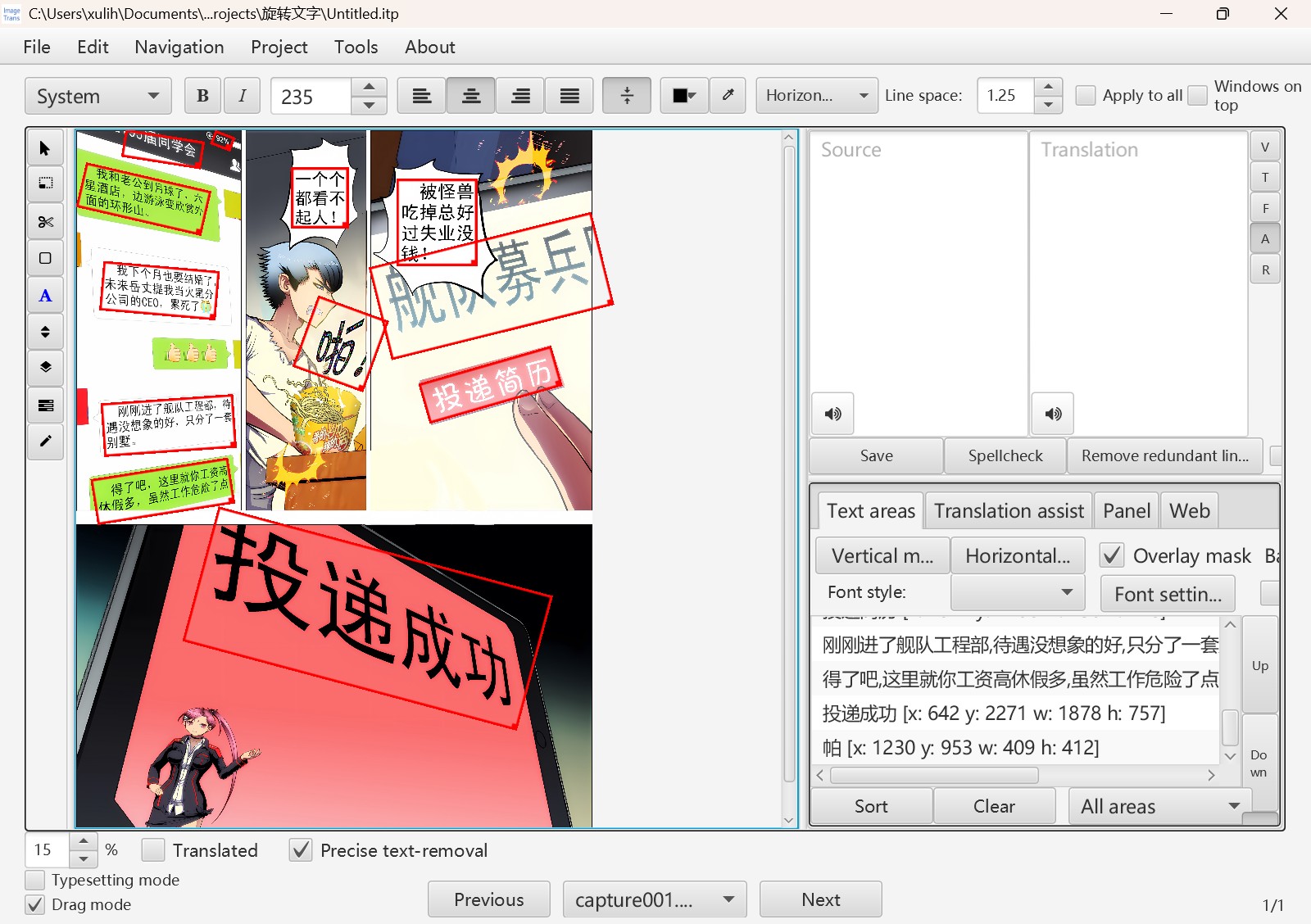
Most OCR engines today can handle rotated text. PaddleOCR, for example, uses the DB algorithm to produce a binary image, and from that image we can get each line of text together with the coordinates of its four corner points and its rotation information.
The computer-aided image translation software ImageTrans supports all kinds of OCR that handle rotated text.
The interface:
The binary image:
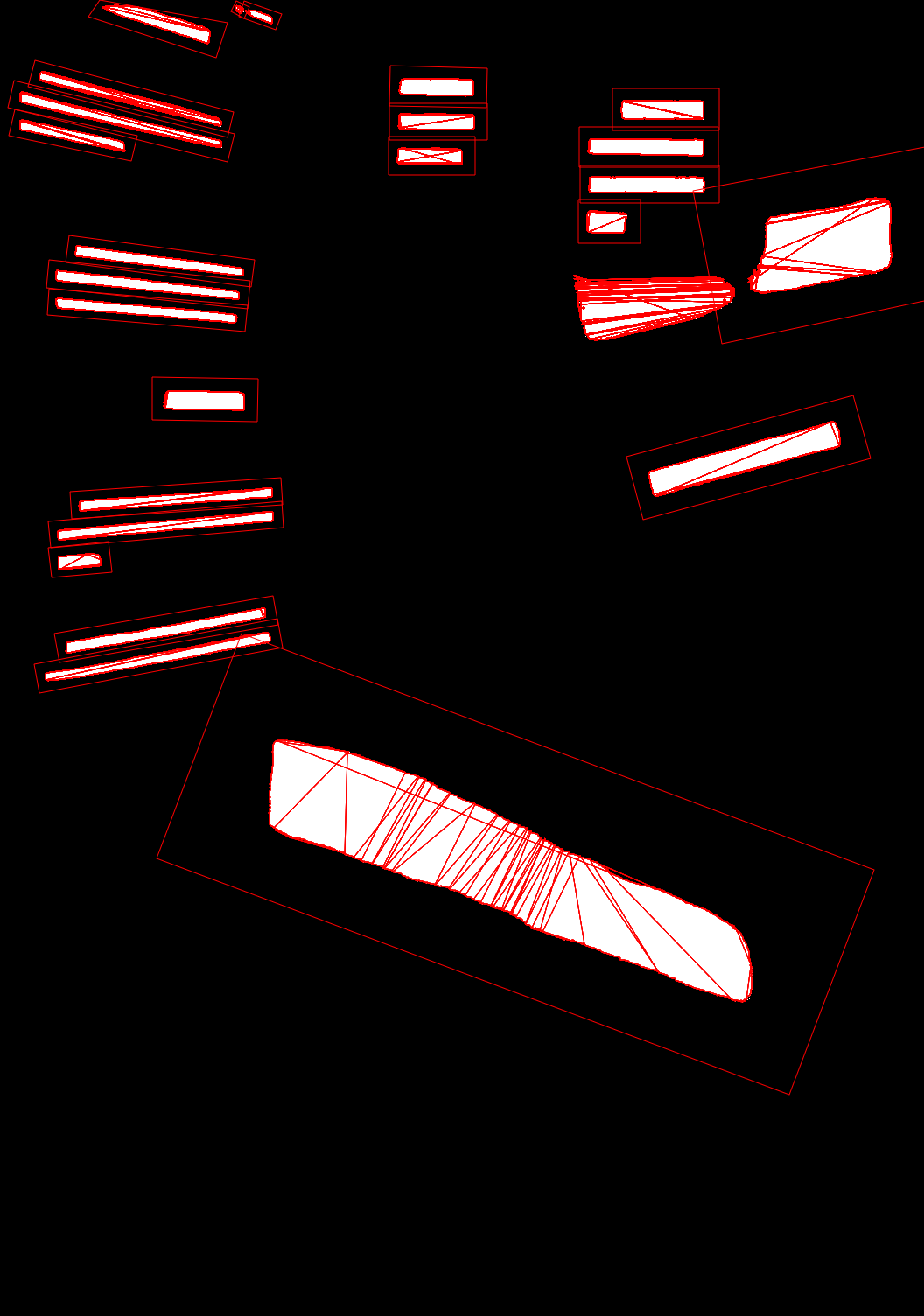
Image source: https://ac.qq.com/ComicView/index/id/547921/cid/1
Knowing the rotation angle is useful in more than one way: it can be used for document deskewing, and for restoring the rotation angle when translating an image.
The text in the example image, however, is distorted by a perspective transformation, so for real translation work it is still better to edit the original PSD file. ImageTrans can export the recognized text to PSD, or modify the text in a PSD directly.
OCR engines with rotation support in ImageTrans:
- WinRT (the OCR built into Windows 10 and later)
- rapid
- PaddleOCR
- mangaTranslator
- macOCR (the OCR built into macOS)
- oneocr (the OCR built into the Windows 11 Snipping Tool)
90-degree rotation
One kind of rotation is special: a 90-degree rotation. When Western letters are set vertically, the text has to be rotated 90 degrees, and its angle can no longer be calculated simply from the coordinates of the four corner points. You can detect it with an orientation detection model, or just work it out from the aspect ratio: if the height divided by the width is greater than, say, 1.2, treat it as a 90-degree rotation.
© 2026 BasicCAT ― Powered by Jekyll and Textlog theme