Home / Blog / Image Translation / Video Translation / Support / Donation / RSS
How to Determine the Reading Order of Text in an Image
Text in an image has to go through OCR before it can be extracted. After that, it usually still needs to be sorted into reading order. PDFs have a similar need: even though the text can be copied, it takes sensible ordering by the PDF viewer to support selecting, copying and searching continuous runs of text. This article mainly demonstrates how the computer-aided image translation software ImageTrans handles the text order in various kinds of images.
For ordinary paragraph text, where lines are simply stacked one after the other, things are easy: just sort by the Y coordinate.
For vertical text such as Japanese light novels, we instead sort by the X coordinate, and from right to left.
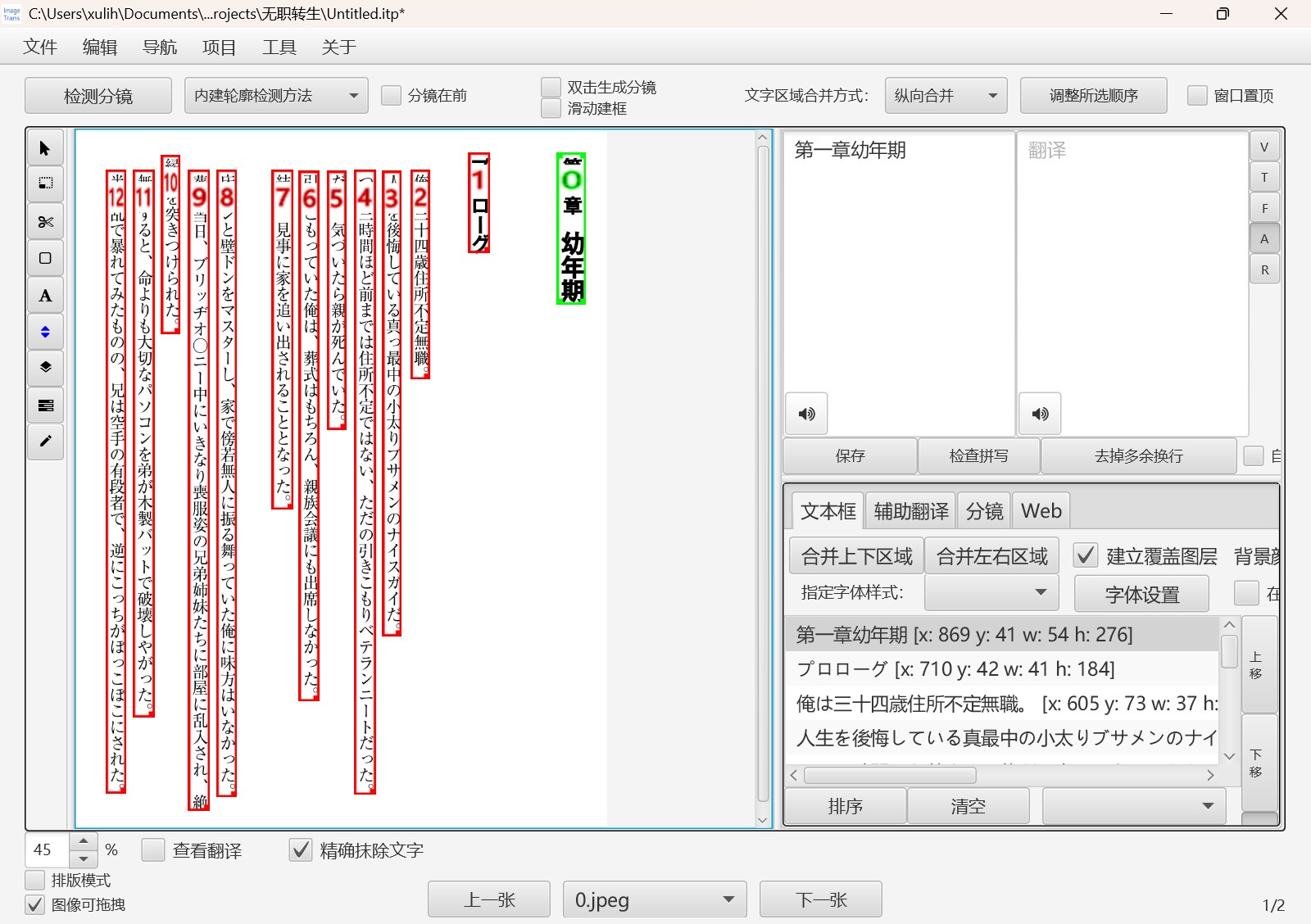
But real-world images are often far more varied.
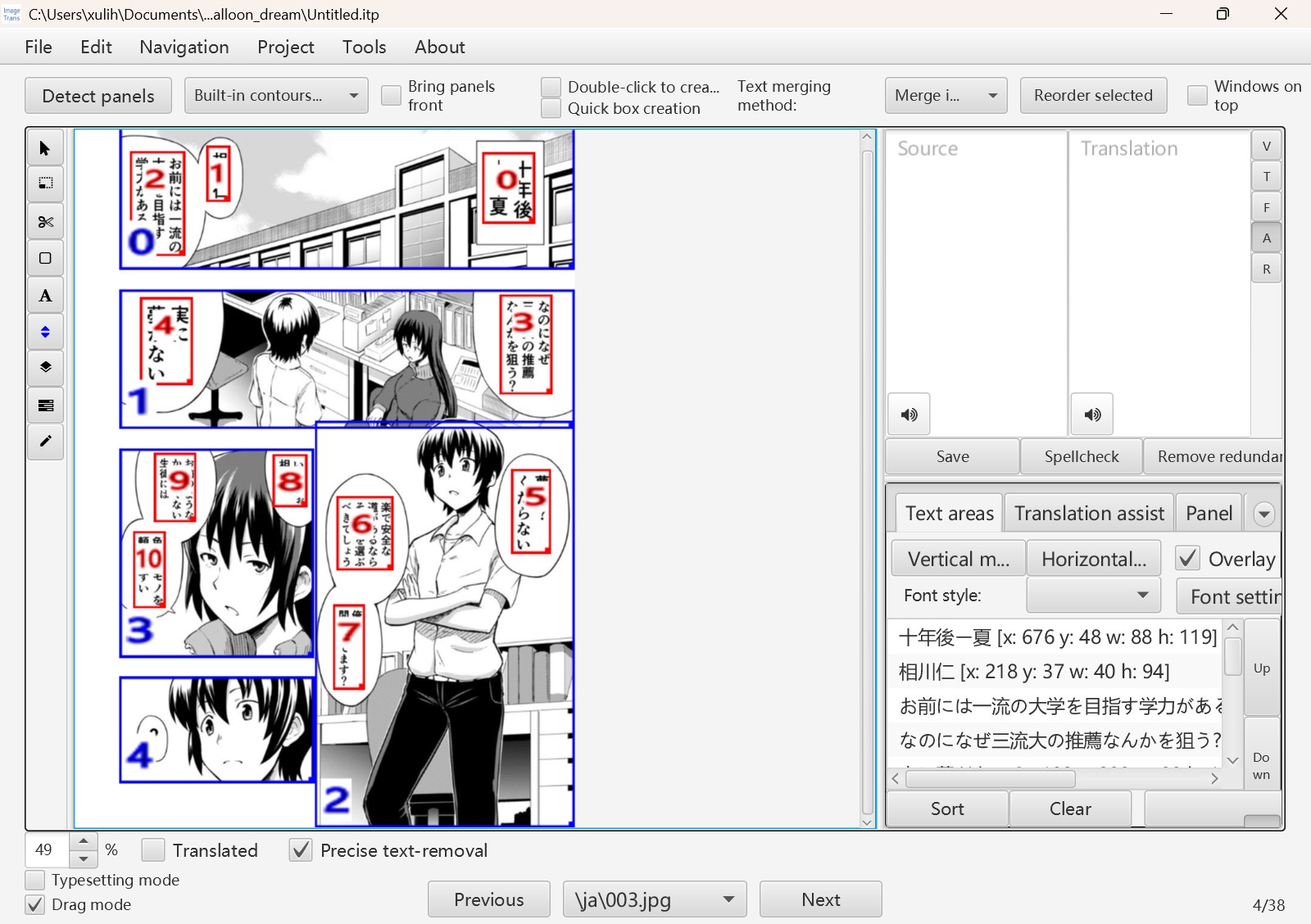
Japanese manga, for example, requires determining the reading order of the panels first, and then the reading order of the text. This needs ImageTrans’s panel detection feature.
Academic papers are another case. They require layout analysis to deal with two-column layouts, figures and tables, and other page elements. Layout analysis models such as PaddleOCR’s PPDocLayout v3 are needed here. This model comes with its own reading order detection, though not every result is correct, and occasionally you have to fix it manually in the software.
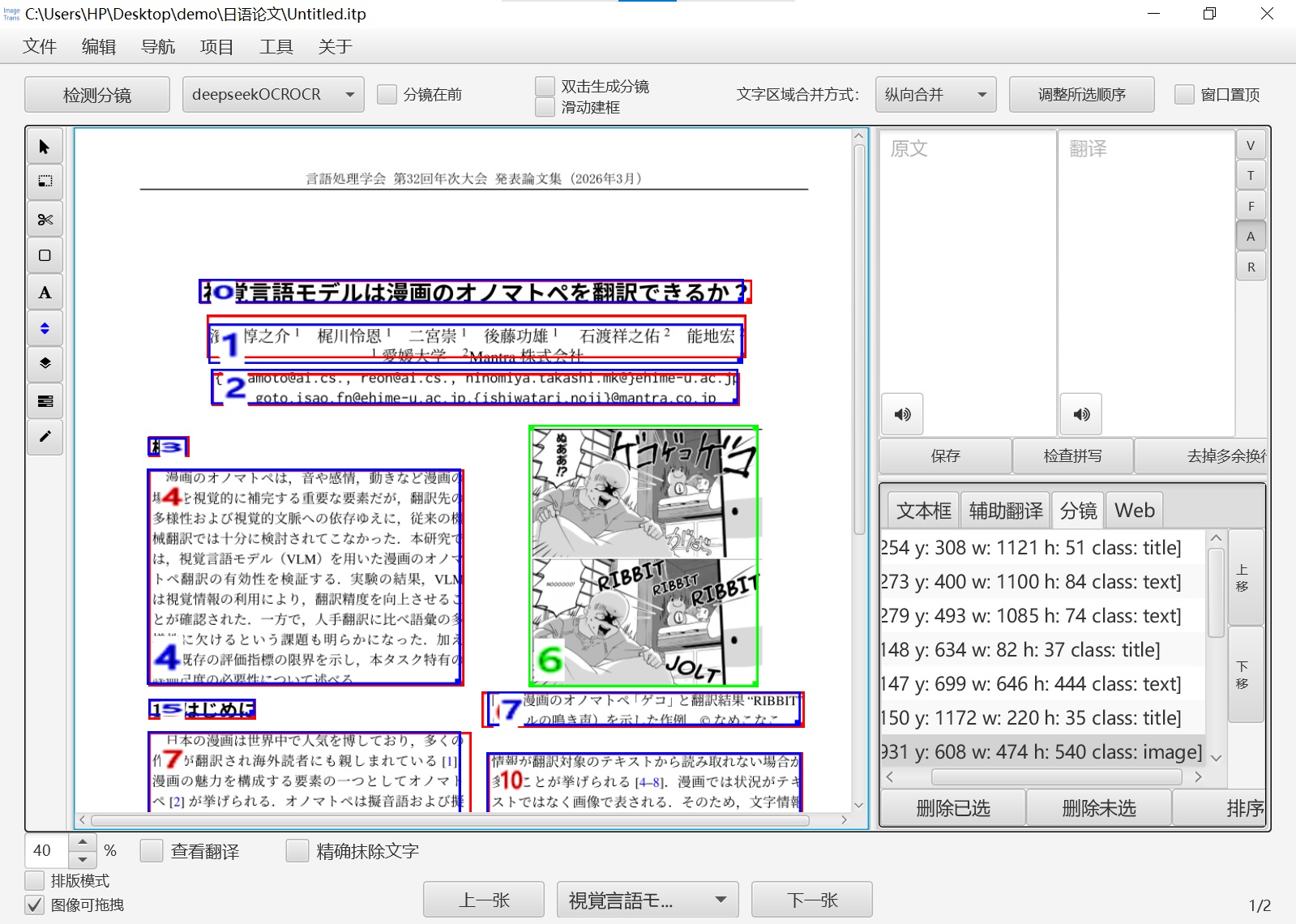
If the layout detection method you choose does not support reading order detection, we need to use another sorting method, such as XYCut.
There are also many complex images, such as the infographic below, in which the listed items are ordered clockwise. Only a vision-capable large language model can handle this.
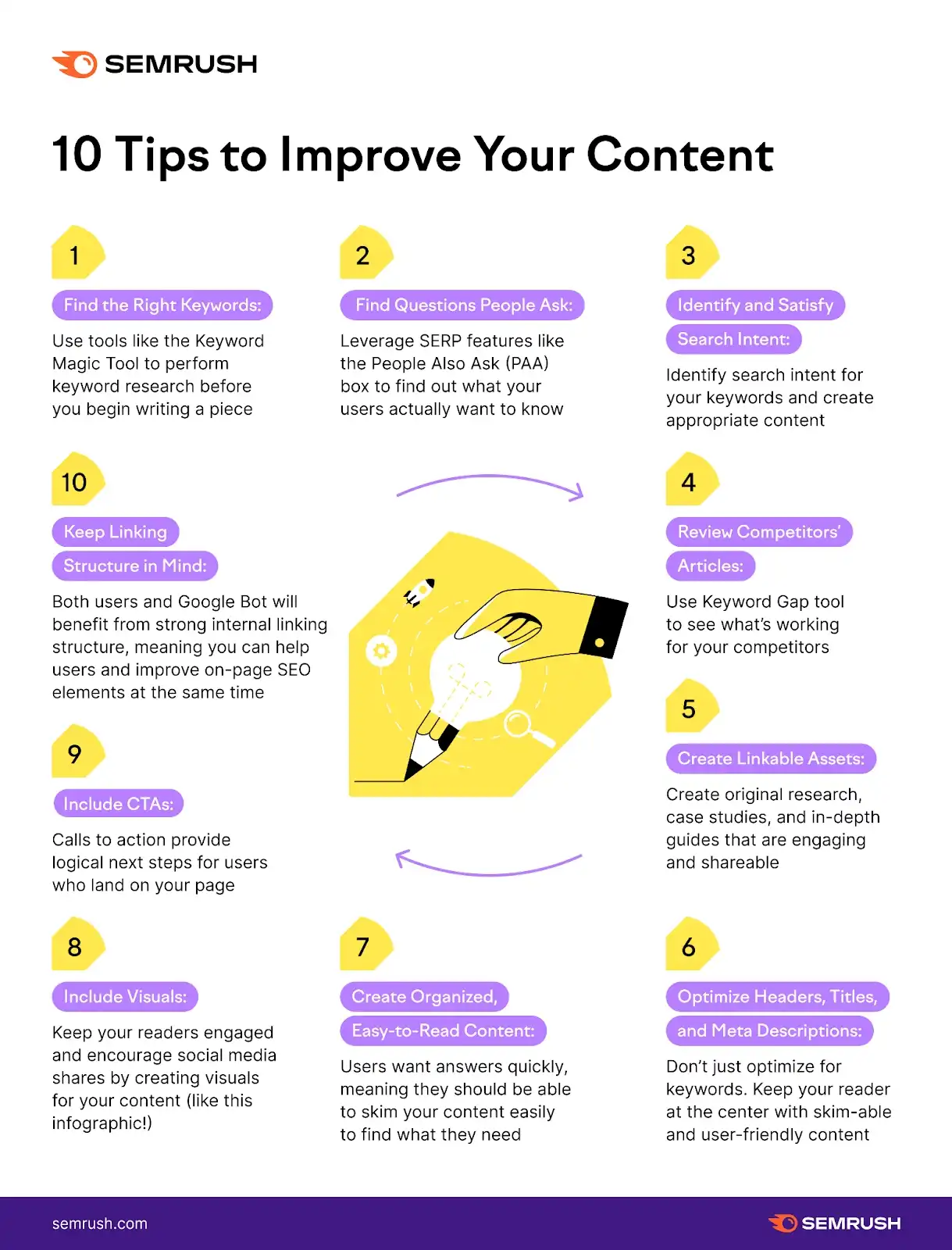
But since large language models cannot return coordinates directly, we also need a suitable prompt that matches the order they give with the text at the corresponding coordinates.
© 2026 BasicCAT ― Powered by Jekyll and Textlog theme